
Brigg is one system for the day-to-day running of a small or medium-sized business: customers, meetings, documents, signing, newsletters, customer service and more — with an agent beside you that can read what you are looking at and do the work for you.
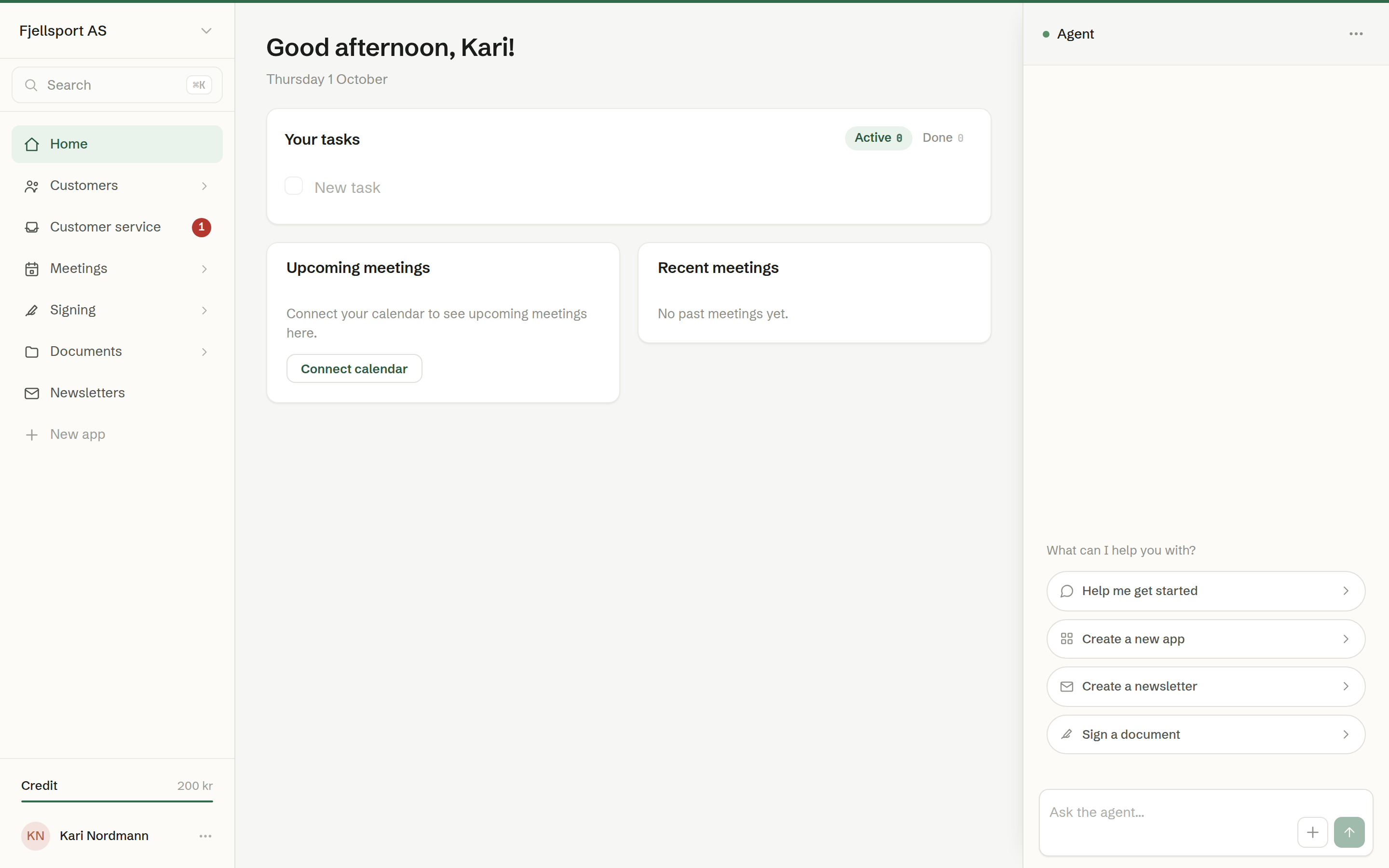
How a workspace is put together
- Your organisation is the company. Everyone in it shares one workspace: the same customers, the same shared documents, the same inboxes.
- People are invited by email and sign in with a secure link — there are no passwords.
- Colleagues and guests. Colleagues get the whole workspace. A guest — for example a customer you have written to — gets a simple chat and nothing else.
- Built-in surfaces cover the common jobs: Home, Customers, Customer service, Meetings, Signing, Documents and Newsletters. Your company can add its own apps and websites on top.
The agent
Every person has their own agent. It knows your company, sees the screen you are on, and can look things up, write, fill in, send and build — always as you, and never beyond what you yourself may do. Read more in The Brigg agent.
The three columns
- The menu on the left takes you between the parts of Brigg. See Finding your way around.
- The middle is the screen you are working in.
- The agent sits on the right, ready to help with whatever is in front of you.
Where Brigg runs
In the browser, in the desktop app for Mac and Windows, in the iPhone and iPad app, and as a Chrome extension. See Brigg on your computer and phone.
Languages
Brigg is available in Norwegian, Swedish, Danish and English. Each person picks their own language under Personal settings, and the workspace has a default language for everything it sends.