
Newsletters is where you make, send and follow up your company's newsletters. You describe what a newsletter should say; the agent designs it in your colours and fonts and writes the first draft. You send it to contacts you already have in Customers — everyone, or those with a given tag — and follow opens and clicks afterwards.
Common uses
- A monthly letter to customers with news, offers and events.
- A campaign — a sale, a new product, an opening — to the customers it concerns.
- An invitation to an event, sent to a tag such as «Bedriftskunde».
- A newsletter that writes itself on a rhythm: the agent writes every issue from your website, the news and your own instructions, and you approve it before it goes out.
The screen
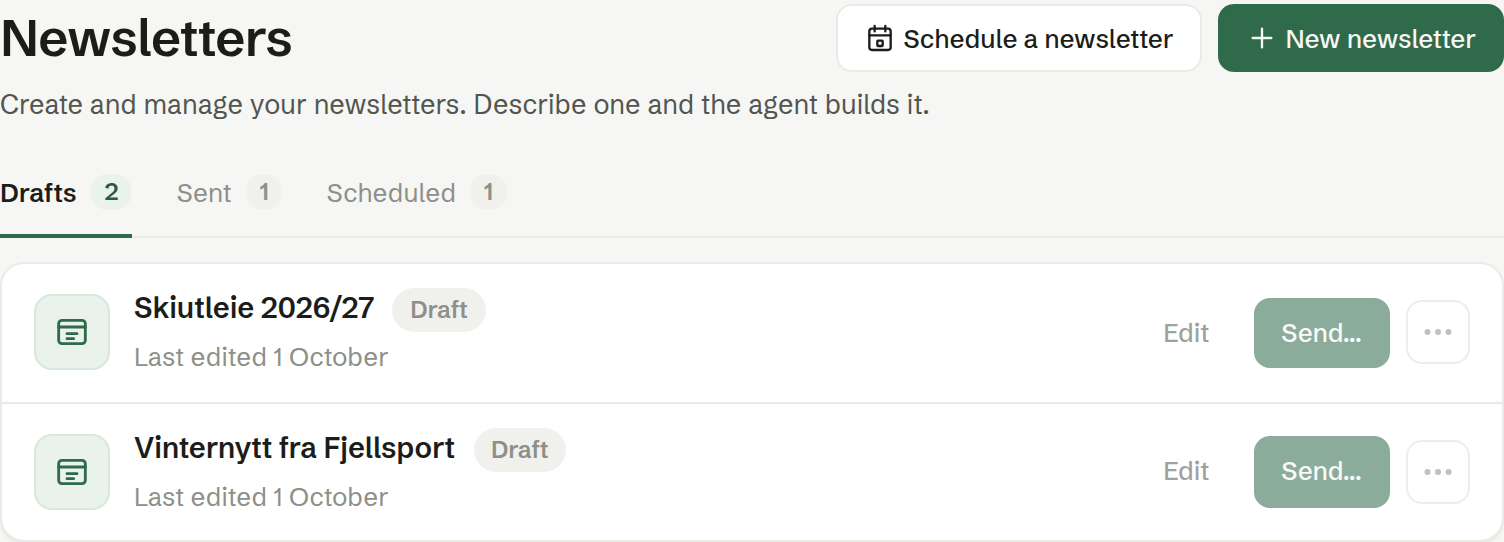
At the top are two buttons: New newsletter, which starts a new one with the agent, and Schedule a newsletter, which sets up a newsletter the agent writes on a fixed rhythm. Below them are three tabs:
- Drafts — newsletters that have not been sent yet.
- Sent — newsletters that have gone out at least once, with their figures.
- Scheduled — newsletters on a rhythm, each with its issues.
See The newsletter list.
In this chapter
- The newsletter list
- Creating a newsletter
- Editing a newsletter
- Sending a newsletter
- Preview and test sends
- Statistics
- Scheduled newsletters
Who can do what
A newsletter is the whole workspace's material, so every member can create, edit, send, rename, copy and delete newsletters, and set up scheduled ones. Only the sender name and reply address, which apply to every newsletter, are for owners and administrators.