
Some things the agent can do reach outside Brigg, in your name. For each of them you decide how much freedom it has, under Personal settings › Permissions.
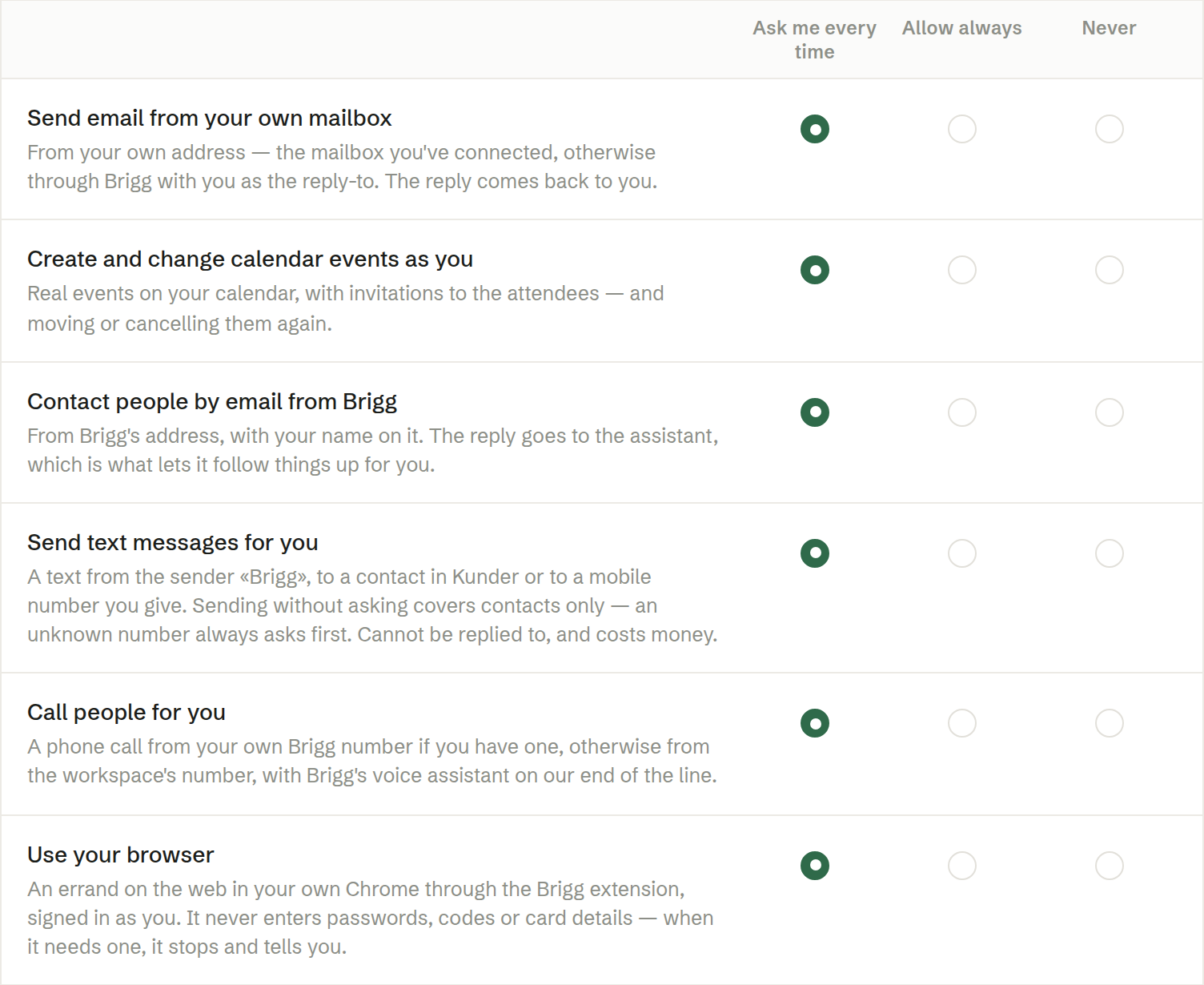
The three choices
- Ask me every time — the default. The agent shows you exactly what it wants to do, on a card, and nothing happens until you answer.
- Allow always — the agent goes ahead without asking, but only while you are chatting with it. A task that runs on its own, or an email that arrives, never acts in your name without you seeing it first.
- Never — the agent does not do it, and says so.
The permissions
- Send email from your own mailbox — from your own address, through the mailbox you have connected (or through Brigg with your address to reply to).
- Create and change calendar events as you — real invitations in your calendar, including moving and cancelling them.
- Contact people by email from Brigg — the agent writes from its own address, and replies come back to it.
- Send text messages for you — sent with Brigg as the sender. Automatic sending only reaches contacts in Customers. Text messages cost credit.
- Call people for you — from your Brigg number or the company's number.
- Use your browser — the agent works in your own Chrome through the Brigg extension. It never types passwords.
Messages inside Brigg's own chat need no permission.
An automation where you have switched on Can email others for me emails other people without asking. Never for Contact people by email from Brigg stops that too. See Automations.
Answering a permission card
When the agent asks, the card shows the whole action — the recipient, the text, the time. Choose Allow once, Allow always (the same as setting it in the table), or Decline, optionally with a reason. Pressing allow is what carries the action out.