
Press Buy next to an available domain under Company settings › Domains to open the purchase dialog. Admin
Before you can buy
- The owner details under Who owns the domains must be filled in and saved.
- The workspace needs a payment card. Without one, the page shows Go to Credits and usage.
- The credit must cover the first year. If it does not, the dialog says so and links to Credits and usage.
The dialog
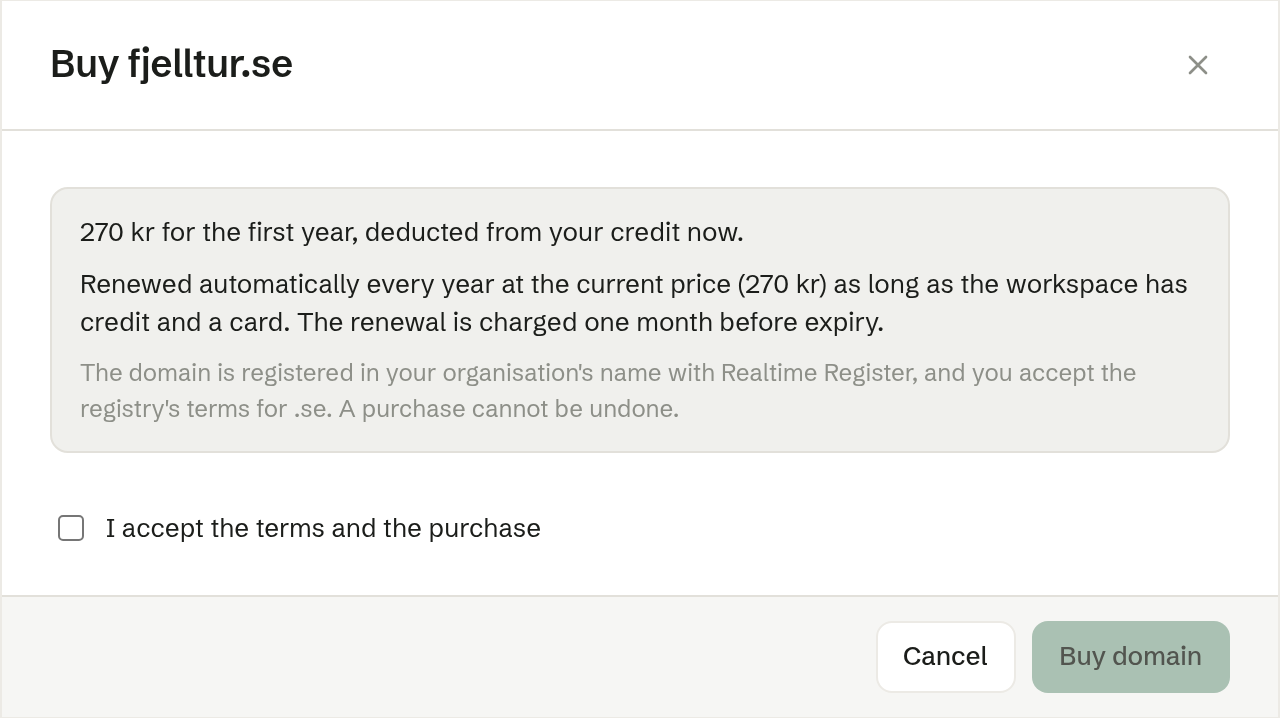
The dialog shows:
- the price of the first year, which is taken from the credit when you buy;
- that the domain is renewed every year at the current price, charged a month before it expires;
- for a premium name, that it has its own registry price;
- that the domain is registered in your organisation's name, with the registry's terms for that ending — and that a purchase cannot be undone.
Tick I accept the terms and the purchase and press Buy domain. If the price changed while the dialog was open, you are shown the new price and asked to confirm again.
After the purchase
A message at the top of the page confirms the purchase, and the domain appears under Your domains as Registering. It usually becomes Active within a few minutes.
For a .no domain, the registrar also sends an application declaration to the contact person's email. It must be confirmed there before the registration can be completed. Only in Norway
If the registry refuses the registration, the purchase is refunded and the domain is shown as Refused.