
Brigg runs the DNS for every domain bought here. On each domain under Your domains, press DNS to see and change its records. Admin
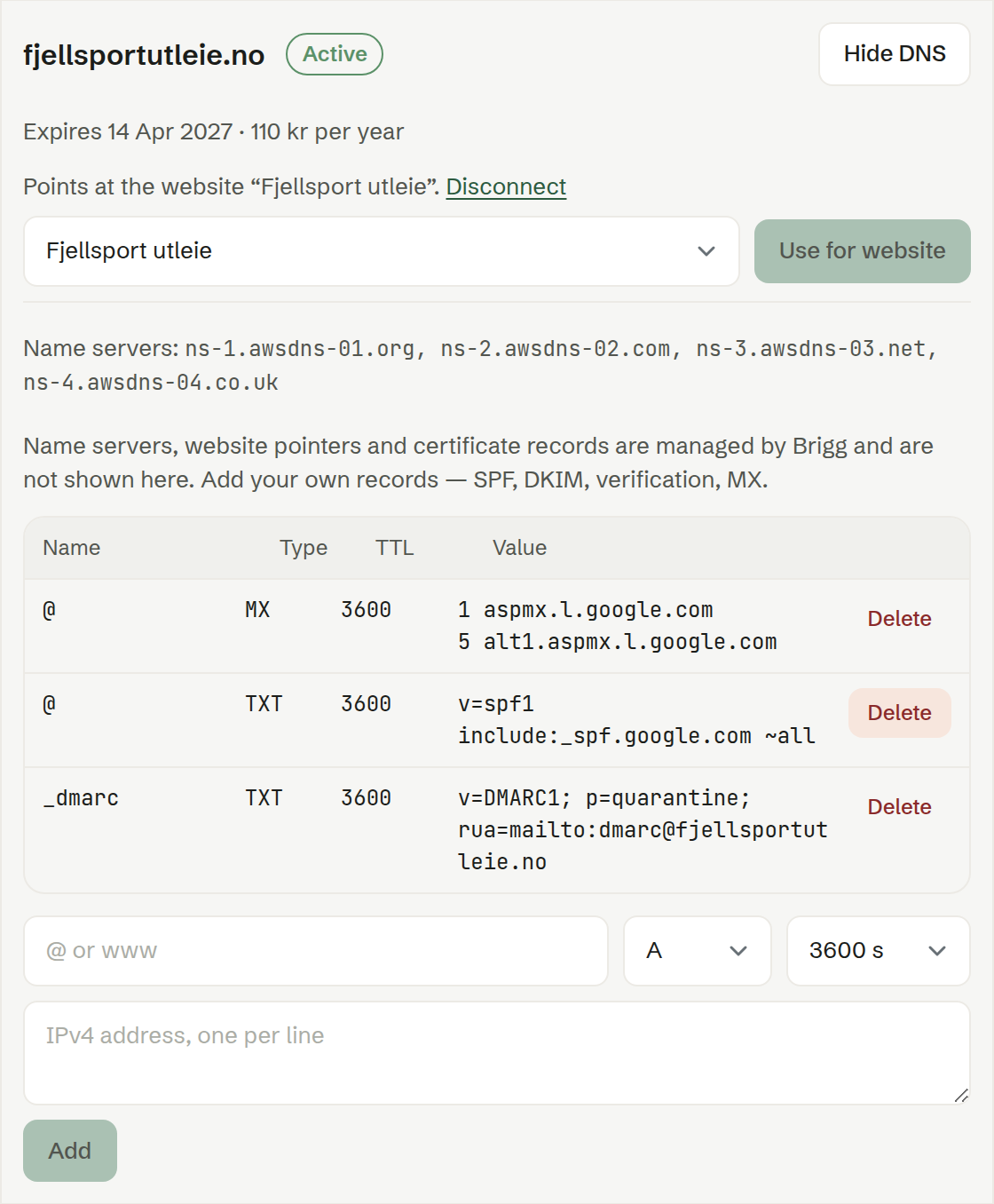
Use for website
If the company has a published website made in Brigg, choose it next to the domain and press Use for website. Brigg points both the domain itself and www at the site and sets up the certificate, so the site works over HTTPS — you do not touch DNS. The domain then shows which website it points at; Disconnect removes the pointers again.
If you have no published website yet, the page says so: publish one first.
This does not work while the domain has your own A, AAAA or CNAME records on the domain itself or on www. Delete those under DNS first.
The records
The table shows your own records: Name, Type, TTL and Value. Above it are the domain's Name servers.
Brigg's own records — the name servers, the website pointers and the certificate records — are managed by Brigg and are not shown here.
Adding a record
Below the table:
- Name —
@for the domain itself, or a name such aswwwormail. - Type — A (an IPv4 address), AAAA (an IPv6 address), CNAME (another host name), MX (a mail server, with its priority, such as
10 mail.example.com) or TXT (text, such as SPF, DKIM or a verification code). - TTL — how long others may remember the record, in seconds.
- Value — one value per line.
Press Add. Adding a record with the same name and type replaces the old one. Delete removes a record.
What is not allowed
- A CNAME on the domain itself — use Use for website or an A record instead.
- A CNAME with more than one value, or beside other records with the same name.
- Changing Brigg's own records.