
Signers need no Brigg account and nothing to install.
The invitation
Each signer gets an email with the document's name, your message if you wrote one, the deadline, and a private link. The link is personal — it opens the document for that signer only.
Signing
The link opens the document in the browser, with the signatures at the bottom. It says until when the document can be signed.
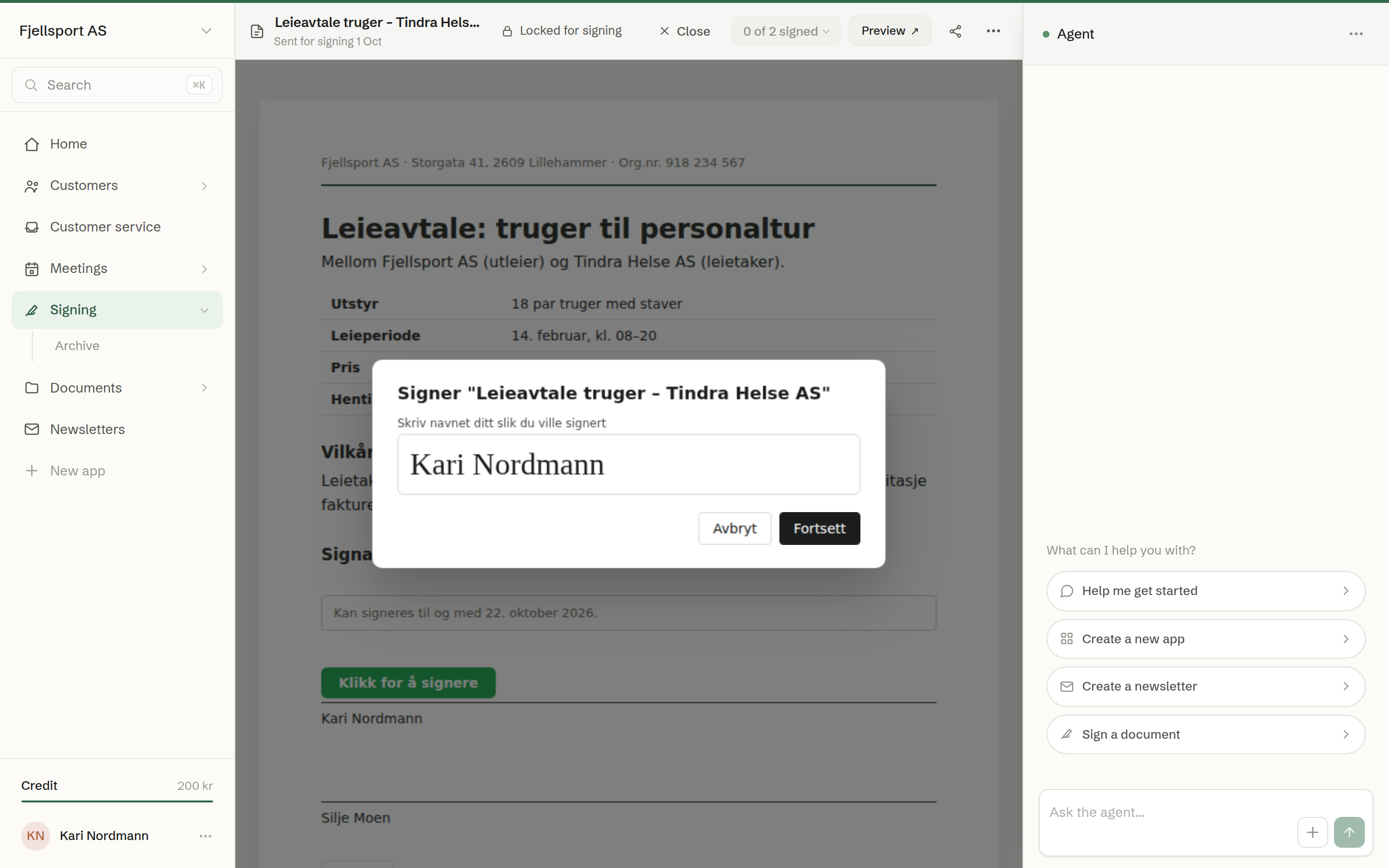
The signature box and its buttons are in the document's own language. With E-signature:
- Click Click to sign in your signature box.
- Type your name as you would sign it, and click Continue.
- Read the confirmation — your IP address, the date and time and your browser are recorded in the signed PDF — and click Sign and register.
With BankID, the button is Sign with BankID. It opens BankID, where you sign as usual, and returns you to the document. Only in Norway
Afterwards
The signature box shows Signed and the time. When everyone has signed, each signer gets the signed PDF by email.
If the deadline has passed, the sign button is gone and the signer is asked to contact you for a new one. If the signing was cancelled, the document says so.