
Each row under Signing shows the document, its status, the signers and the deadline.
Status
- Draft — not sent yet.
- Pending — waiting for one or more signatures.
- Overdue — the deadline has passed before everyone signed.
- Signed — everyone has signed.
- Cancelled — the signing was stopped.
Who has opened and signed
Click the signers' names on a row to see the Recipients: each signer's name and email address, and where they have got to — Pending, Opened with when they last looked, or Signed with the date.
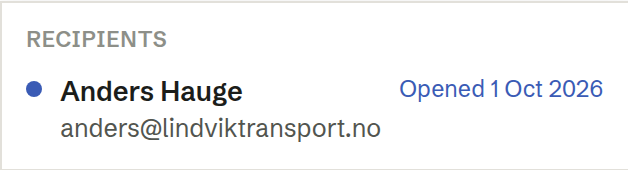
The same shows on the person's own record in Customers. Brigg sends no automatic reminders; when someone has opened the document but not signed, that is a good moment to get in touch.
Actions
The ⋯ menu on a row offers what fits its status:
- Change deadline — on a pending signing. See Changing the deadline.
- Cancel signing — on a pending signing. Signers can no longer sign; signatures already given are kept as documented. The document is unlocked, and Send for signing → on the row sends it again.
- Download PDF — on a signed document.
- Regenerate PDF — if the signed PDF was not made.
Changing the deadline and cancelling are for the person who sent the signing.
When everyone has signed
The signed PDF is emailed to every signer, and to you if you were not a signer yourself. You can switch your email off in Personal settings: Email me when someone signs a document I sent. The document stays locked for good and is listed in the Archive.