
Press New newsletter at the top of Newsletters. A short conversation with the agent follows, and at the end the agent builds the first draft in your company's design.
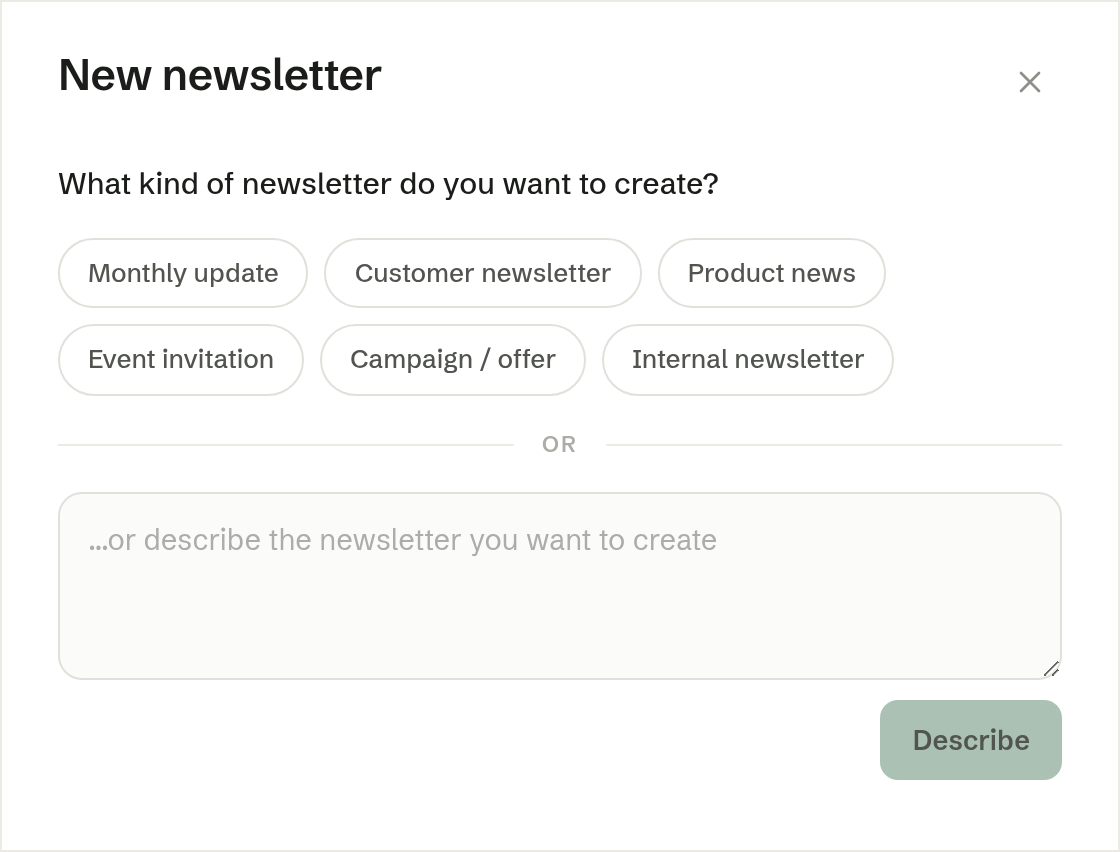
1. What kind of newsletter
Pick one of the suggestions — Monthly update, Customer newsletter, Product news, Event invitation, Campaign / offer or Internal newsletter — or write in the box what you have in mind and press Describe.
2. A few questions
The agent then asks one question at a time, for example who the newsletter is for or what tone it should have. Answer with one of the choices, or in your own words. While it thinks of the next question it says so.
3. What should it say?
Write what the newsletter should say — key points or whole sentences. You can paste text, an image or a link, or press Upload file to add a PDF. Press Continue, or Skip if you would rather steer the content in chat afterwards.
4. The proposal
The agent sums up what it will make under Proposal. Press Create newsletter to start. The newsletter opens straight away, and the agent builds it while you watch; it appears under Drafts.
Where the design comes from
The agent designs the newsletter from your company's design system — the colours, fonts and logo it picked up from your website. Pictures are made for the newsletter, and you can ask for changes in chat at any time.