
Open an inbox's settings with the gear next to it in the left-hand menu (on a phone, the gear at the top). Each inbox has its own settings, and every change is saved straight away.
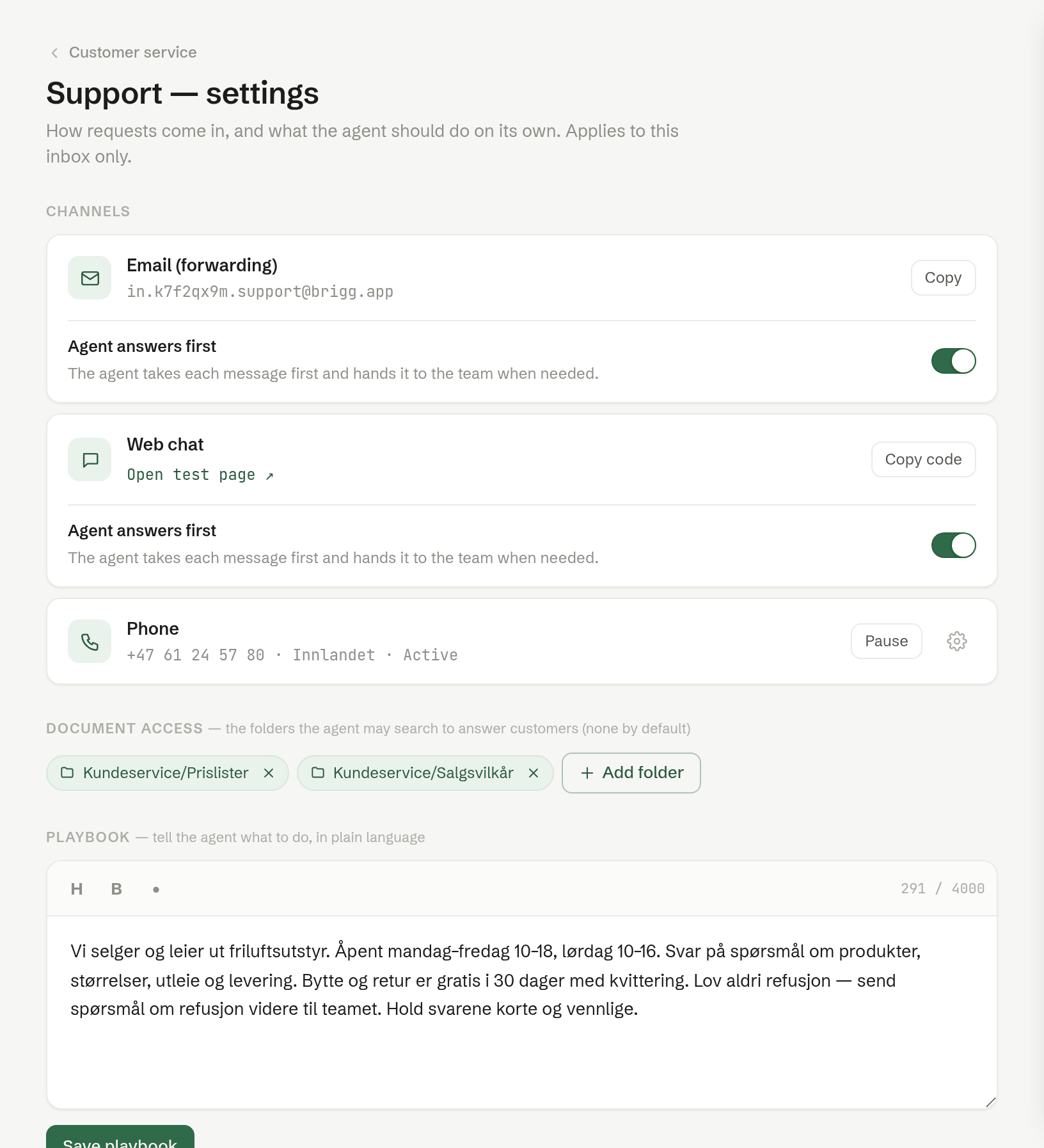
Channels
How enquiries reach this inbox:
- Email (forwarding) — the inbox's own address, which your support address forwards to. See Setting up email.
- Web chat — the chat for your website: a test page and the code to paste in. See Web chat on your website.
- Phone — a phone number the agent answers. See Phone.
Email and web chat each have the switch Agent answers first. On (the default), the agent takes each enquiry first and hands it to the team when needed. Off, enquiries go straight to the team. See How the agent handles enquiries.
Document access
The folders in Documents the agent may search to answer customers. None by default. See Giving the agent documents.
Playbook
Your instructions to the agent, in plain language — what it should answer, how, and when to hand over. One playbook covers every channel, the phone included. See Playbook and signature.
Signature
The text added to the end of every email reply from this inbox.
New inbox Admin
At the bottom of the page, owners and administrators create another inbox. See Creating more inboxes.