
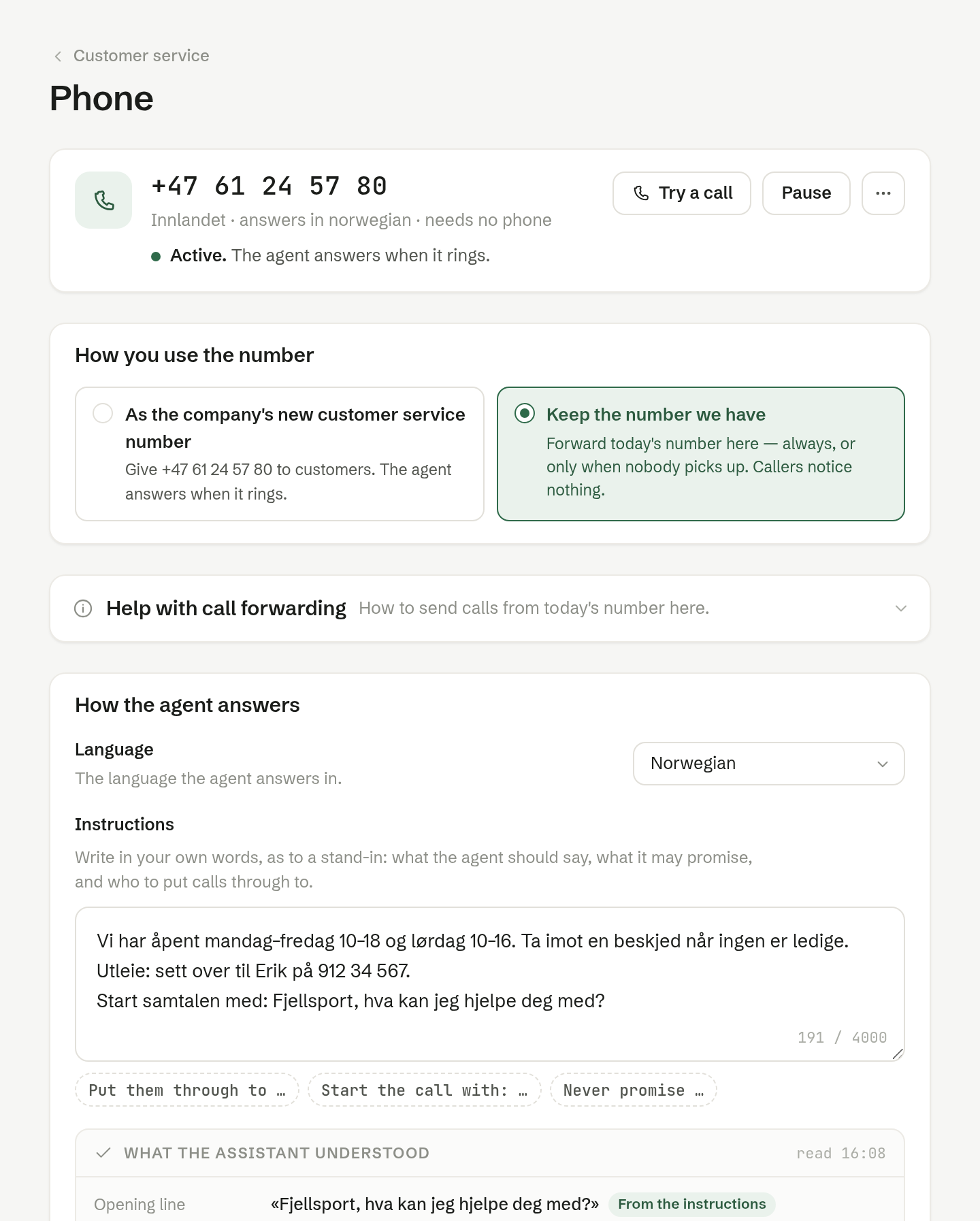
Give Customer service a phone number, and the agent answers it — in Norwegian, following your playbook and your instructions for the phone. Every call becomes a conversation in the inbox, with the transcript.
What the agent can do on a call
- Answer questions from the playbook and the documents you have given the inbox.
- Recognise callers who are in Customers.
- Take a message.
- Put the caller through to a colleague, following your instructions.
- Book or move meetings, if you switch that on. See Capabilities.
Calls are not recorded; the conversation keeps the written transcript.
Getting set up
- Get a number — owners and administrators.
- Choose how you use it: as your new customer service number, or by forwarding the number you have.
- Write how the agent should answer.
- Try a call in the browser.
- Press Activate. A new number stays off until you do, so you can write the instructions first.
The phone page
Open it from the Phone row under Channels in the inbox's settings, with the gear on the row. At the top is the number, the area it is from, the language the agent answers in, and its state:
- Active. — the agent answers when it rings.
- Activating. — the number is ordered and is usually ready within an hour. You can write the instructions meanwhile.
- Paused. — callers get a busy signal.
The buttons beside it: Try a call, Pause or Resume, and ⋯ with Copy the number and Cancel the number…. Cancelling releases the number with the carrier for good; it cannot be recovered.
After a call
The call lands in Customer service as a conversation on the Phone channel, with the transcript. It goes to the Agent tab, unless the agent handed it over — for example because the caller asked for a person. You can call back with Call back, or reply by SMS or email.