
Every company, contact and deal in Customers has a Documents tab: the documents attached to the record, and the documents that have reached the customer.
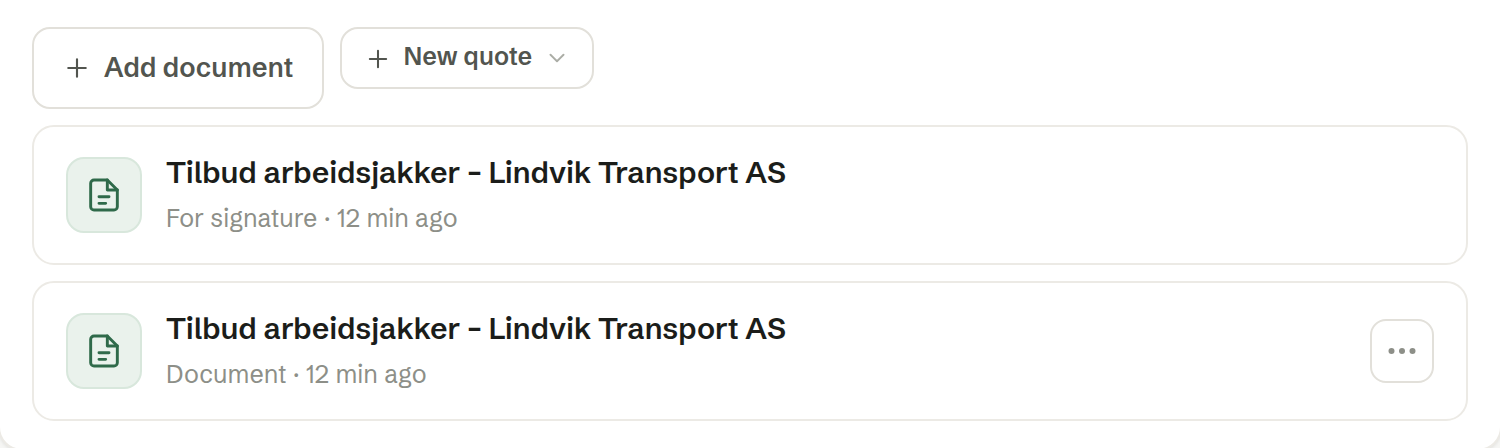
What is listed
- Documents attached to the record by hand or made for it.
- Documents that reached the customer, each marked with how: Sent (emailed as an attachment), For signature (out for their signature) or Signed. These are found from the customer's email addresses — nothing has to be attached.
Adding a document
Click Add document. The same dialog as everywhere else offers three ways:
- Make a new one from a document type or a template. It is written with the record's details already in — a quote made on a deal carries its products and the customer it is for — then filed under Shared and attached.
- Pick one you have from Shared. It is linked, not copied.
- Upload a file. It is filed under Shared and attached.
New quote, next to it, makes a quote for the record straight away, from a quote template you choose.
Documents attached to a customer live under Shared, so that everyone who can see the customer can open them.
Removing a link
Remove link in a row's ⋯ menu takes the document off the record without deleting it. A document can be attached to one record at a time.