
A template normally lets the agent rewrite the whole document each time. When the wording has to stay exactly as it is — terms, prices, legal text — give the template fields instead. The agent then fills in only the fields, and everything else is copied word for word into every document.
Turning fields on
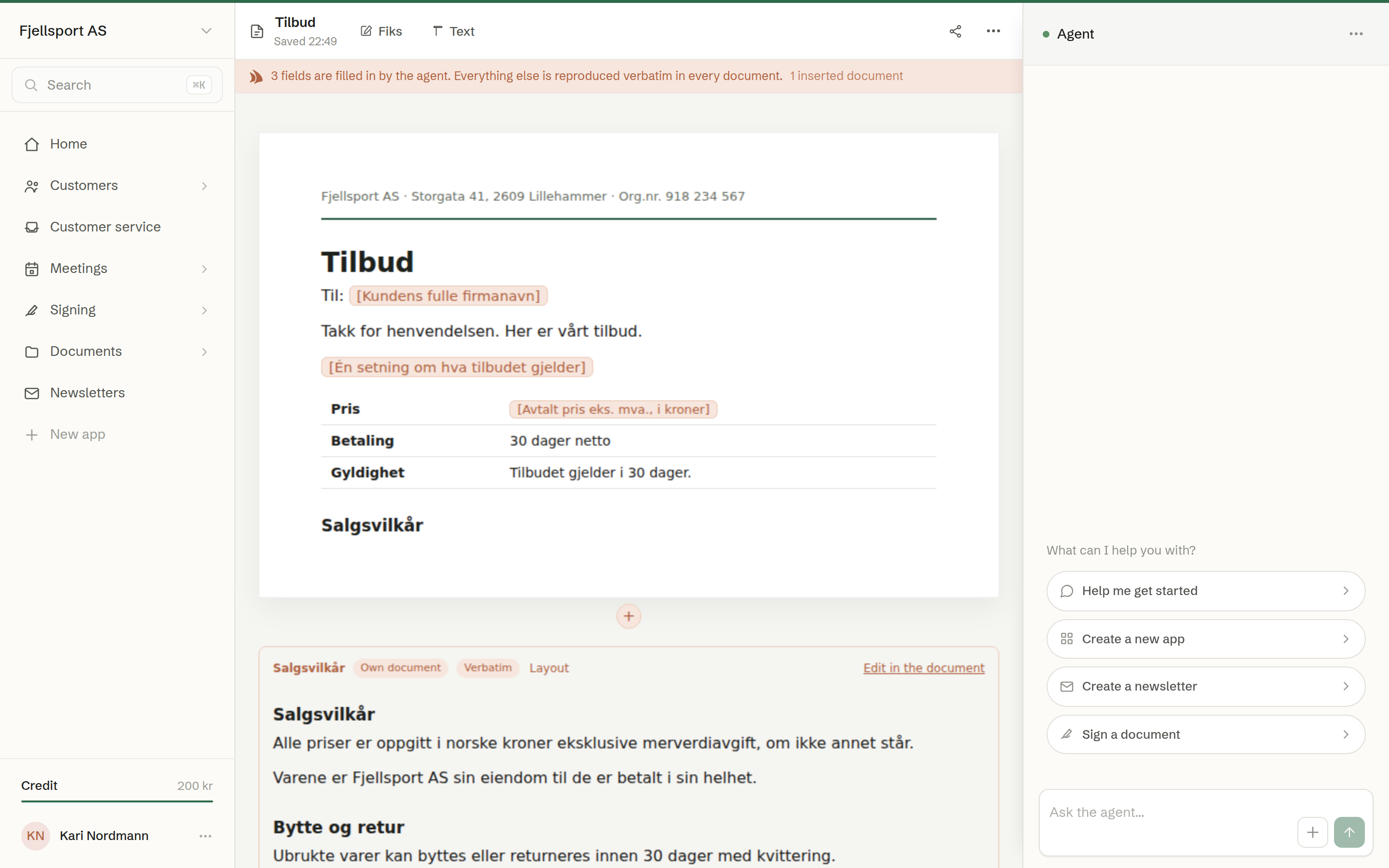
Open the template and choose Edit fields in its … menu. The bar under the toolbar says how many fields the agent fills in. Only the template's owner and administrators can edit its fields.
Fields
- A field is shown in peach — the agent's colour.
- Hover between two blocks of text and click +, then Field, to add one. Or select a placeholder in the text, such as «[Customer name]», to turn it into a field.
- Click a field to edit it: What goes here? is the instruction the agent follows, for example «The customer's full company name». Remove the field takes it out.
Inserted documents
+ then Document inserts a text document — your sales terms, for example — into the template. It is reproduced word for word, so you keep the terms in one place: edit the text document, and every template that carries it is updated. Each document made from the template keeps the version it was made with, so a quote already sent never changes.
An inserted document shows Own document and Verbatim. Layout offers One column, Two columns and Small text; Edit in the document opens it. Only text documents can be inserted; another document can be converted with Turn into a text document.
Save the template when you are done, so the fields apply to everyone's documents.
The receipt
A document made from a template with fields carries a receipt under its toolbar: The template is reproduced verbatim. The agent filled in a number of fields. Open it to see what The agent filled in, field by field, and what came Verbatim from the template — including the version of each inserted document. In the document, the values the agent wrote are tinted peach.
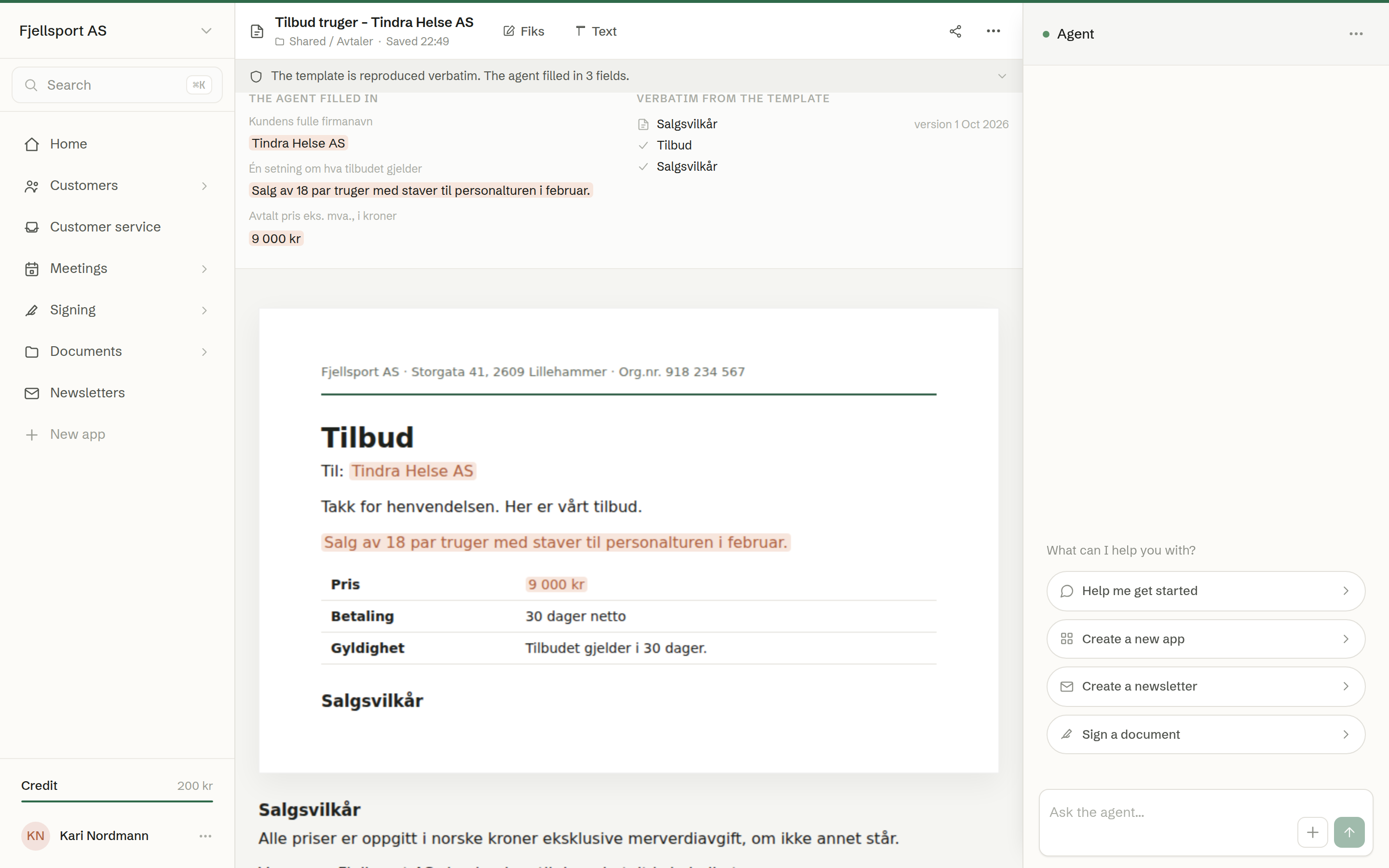
A field the agent could not fill in is left blank and listed under Left blank; click it in the document with Text to fill it in yourself.