
Create at the top of Shared or Mine makes a new document in the folder you are standing in. The agent writes it for you; you decide what it should be based on and what it should say.
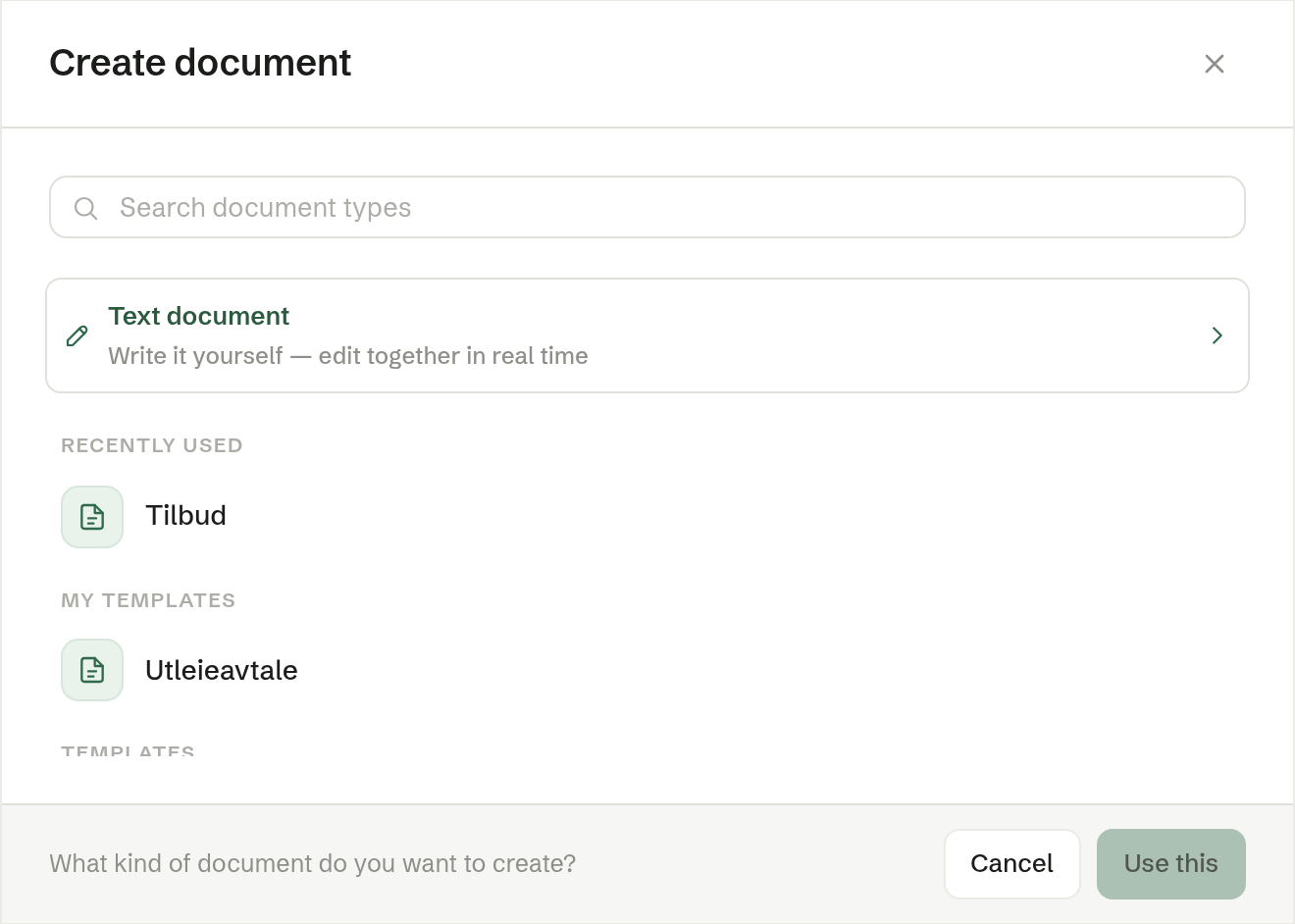
Choose what to make
The dialog lists, from the top:
- Text document — an empty document you write yourself, together with colleagues. See Text documents.
- Templates — the built-in document types: Quote, Service agreement, Order confirmation, NDA, Employment contract, Business letter, Meeting minutes, Board minutes, General meeting minutes and Status report.
- Shared templates and My templates — the workspace's own templates. See Templates.
- Describe the document yourself — when none of the others fits.
The search box at the top filters the list. Hover over a row and click Pin to keep it at the top under Pinned; the types you used last show under Recently used.
Say what it should say
After you pick a type or a template, the dialog asks What should it say?
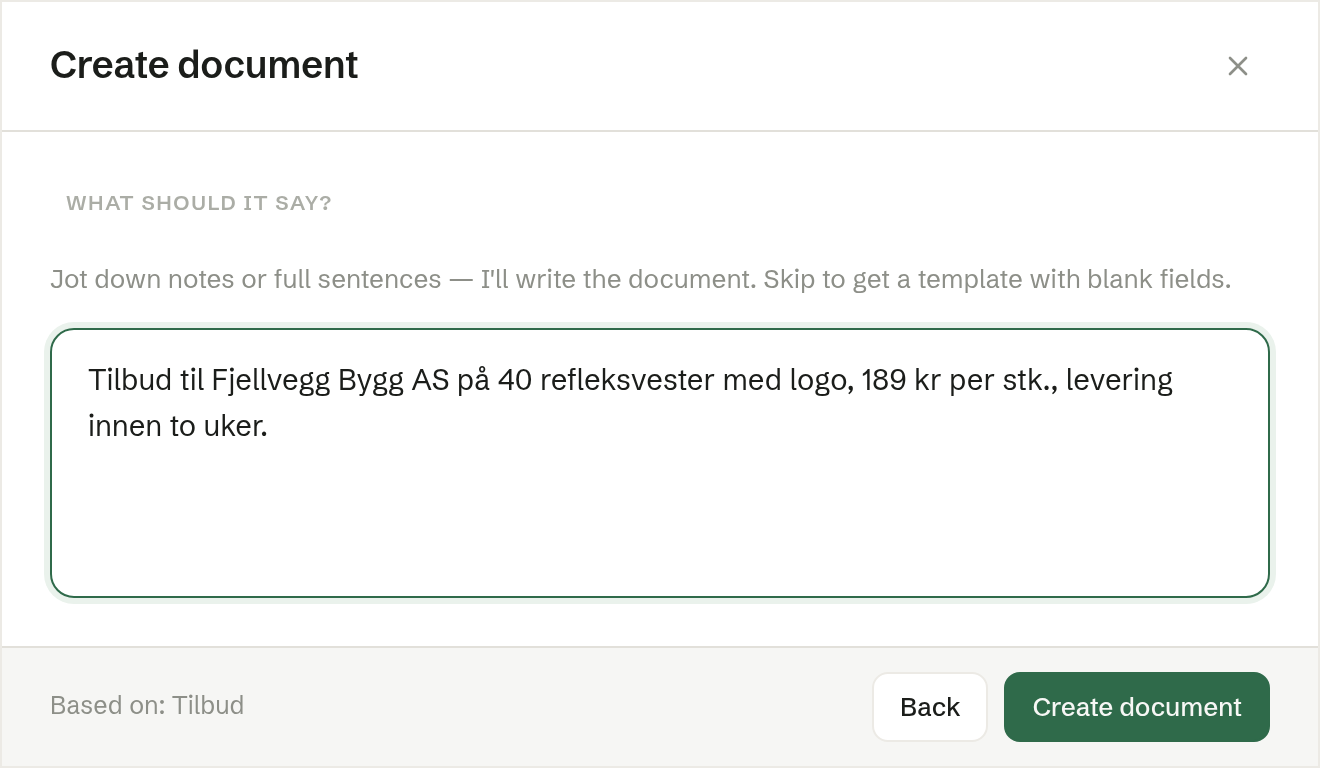
Write notes or whole sentences: who it is for, prices, dates, what was agreed. The more you give, the less is left blank. Leave the box empty to get a document with blank fields you fill in yourself. Click Create document.
While it is made
A progress dialog shows the agent working. When it is done the document opens, filed in the folder you started from and named after what it says — for example «Tilbud arbeidsjakker – Lindvik Transport AS».
Making a document uses the workspace's credit. If the credit has run out, the dialog says so.
From a template with fields
A template whose wording is fixed, with named fields, is filled in field by field: the agent writes only the fields, and the rest of the template is copied word for word. See Fields in templates.
A Word template is filled in and comes back as a Word file to download. See Making a template.