
A text document is a document you write yourself, like in a word processor — and several people can write in it at the same time. Choose Text document under Create; it opens empty, ready to write in.
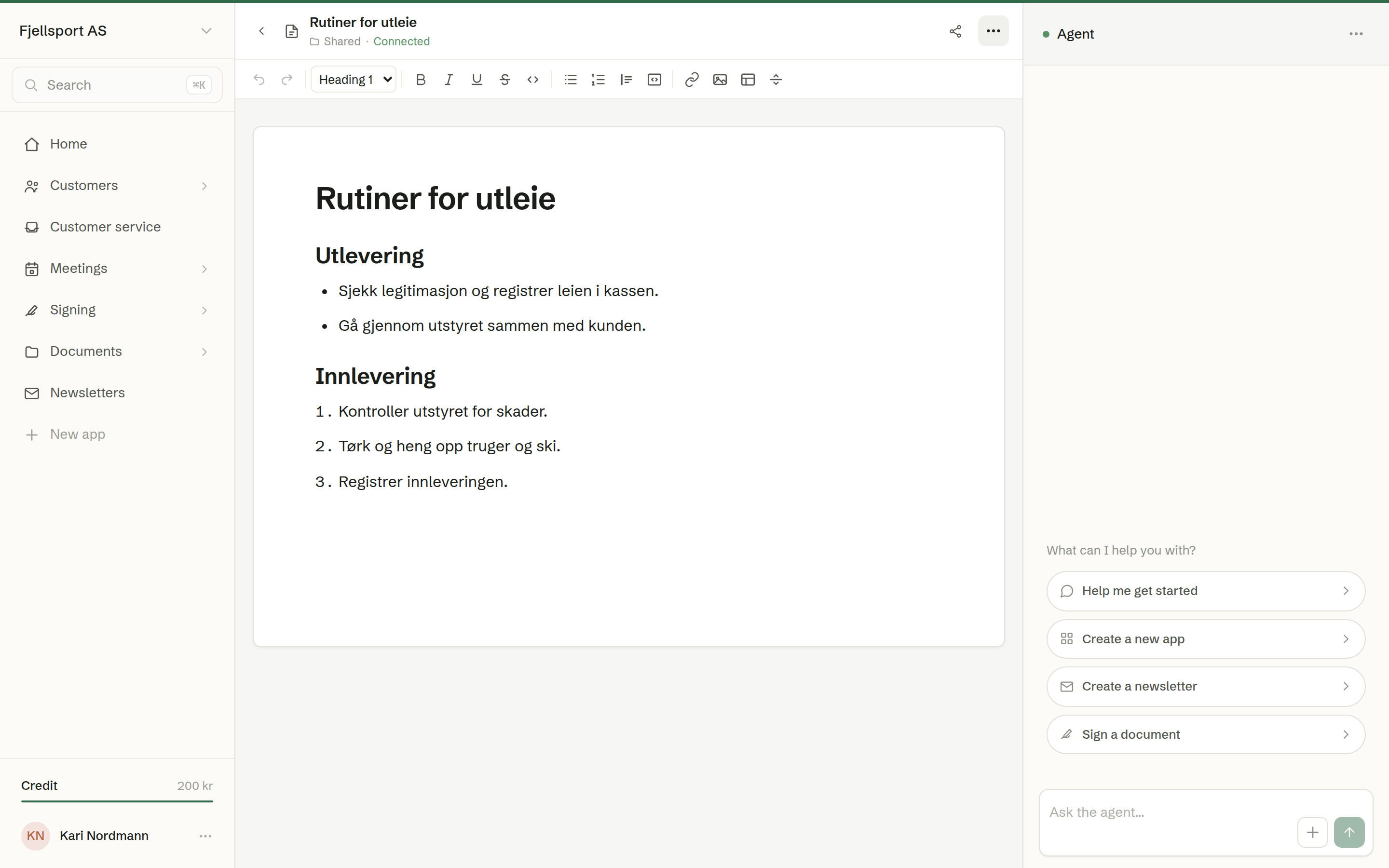
Writing
The toolbar above the text has:
- Paragraph style — Body text, Heading 1, Heading 2 or Heading 3;
- Bold, Italic, Underline, Strikethrough and Code;
- Bulleted list, Numbered list, Quote, Code block and Divider;
- Link — the address and the words the reader sees; Remove link takes it off;
- Image — upload a picture into the text;
- Insert table — inside a table you can add and delete rows and columns, or delete the table;
- Undo and Redo.
There are no fonts, sizes or colours on purpose: the document is about its content, and it looks tidy wherever it is shown.
Writing together
Everyone who can see the document can edit it — in Shared the whole workspace, in Mine only you. Colleagues' edits appear as they type, with their name at their cursor. Everything is saved continuously; there is no save button. The top of the page shows whether you are Connected.
The agent can write in the same document. Ask it in the chat — «write a first draft of the rental routines» — and keep editing by hand afterwards.
The … menu
- Rename and Move to ….
- History — earlier versions. See Version history.
- Word (.docx), PDF (.pdf) and Markdown (.md) — download a copy of the document as it is right now. Word and PDF include the images; Markdown is the text only. If the page is not connected, there is no download until it is — never an older copy.
- Delete the document.
Share next to the menu creates share links. A link to a text document always shows the document as it is now. A text document is never published on the web. Close takes you back to Recent.