
Open an upcoming meeting to prepare it. The page has four parts, top to bottom: the brief, the agenda, the attendees and your notes.
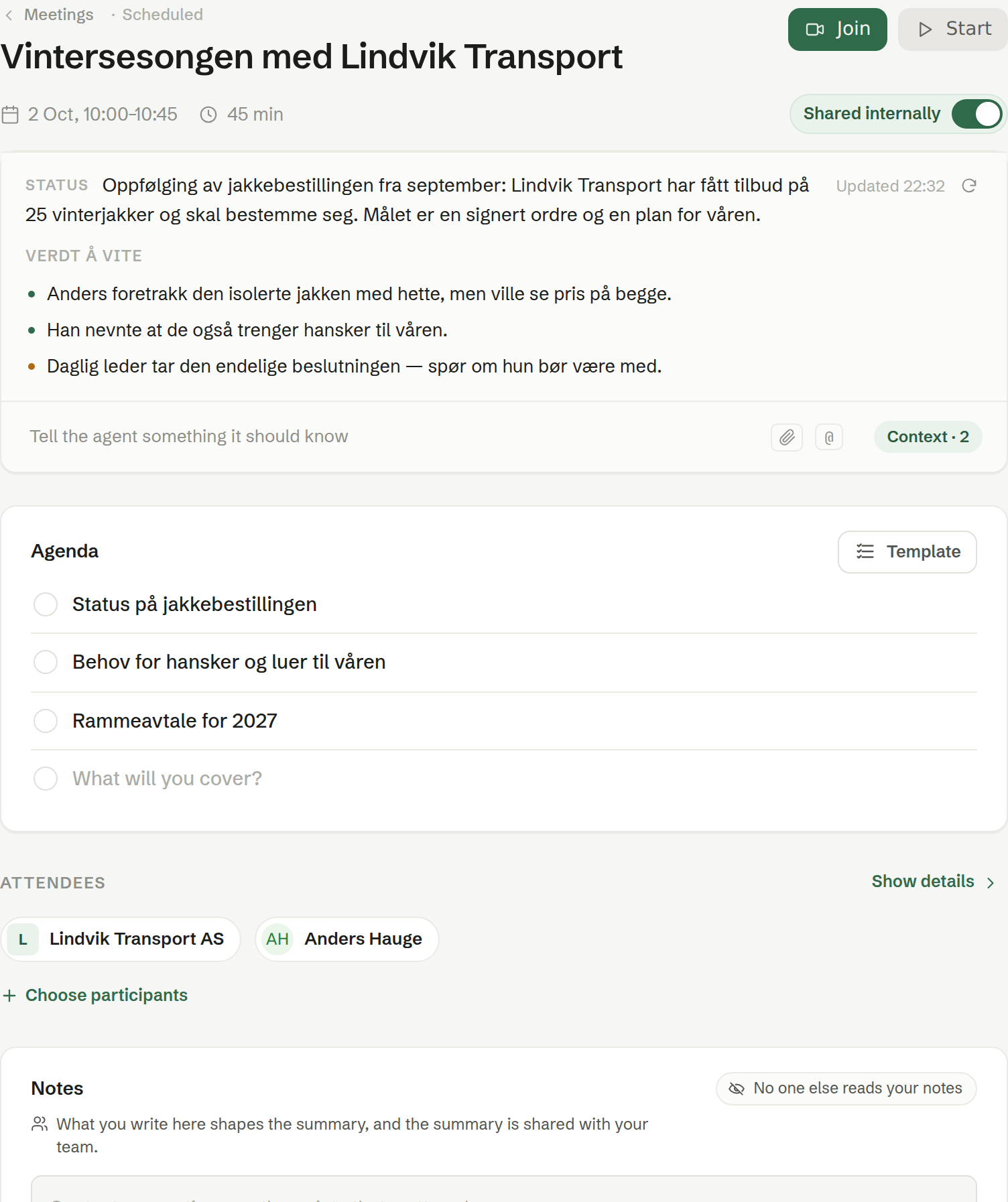
When the meeting is prepared
The agent prepares a meeting by itself about a day ahead when at least one attendee is from outside your company. Any other meeting is prepared the first time you open it. Preparing also adds the attendees as contacts in Customers, and their companies, if they are not there already.
The brief
The agent's short write-up of what the meeting is about and what is worth knowing: who you are meeting, what has happened before, and what to ask about. It reads the invitation, earlier meetings with the same people, and what Brigg knows about the company and the contacts, and it can look things up on the web. If you have let Brigg read your email and the meeting is only visible to you, it also reads your email with the people in the meeting — never anything else in your inbox.
- Context at the bottom lists what the brief is built from. Write something the agent should know, paste a link, drop a file, or type @ to pick something from the workspace.
- Refresh writes the brief again with what is there now.
The agenda
The topics for the meeting. Write your own, one per line, or let the agent suggest one — a suggestion is marked Suggested by AI and can be kept with Accept agenda or thrown away with Discard suggestion. The agent never replaces an agenda you have written yourself.
Template applies one of your meeting templates: type to search, or choose Generate an agenda to get a suggestion on the spot. See Meeting templates.
During the meeting, the agenda is shown in the Brigg app, where each topic can be marked as covered.
Attendees
The people in the meeting, with their company. Click a person to see more, and again to open the contact. Choose participants adds someone from Customers.
Notes
Your own notes for the meeting. See Your notes.
The header
Join opens the video call when the meeting has a link. Start records the meeting in the Brigg app — see Recording a meeting. The small «i» shows the original calendar invitation: organiser, description and who has accepted.