
Owners and administrators open Company settings › Privacy. The settings apply to every meeting in the workspace. Everyone else can read them, but not change them. Admin
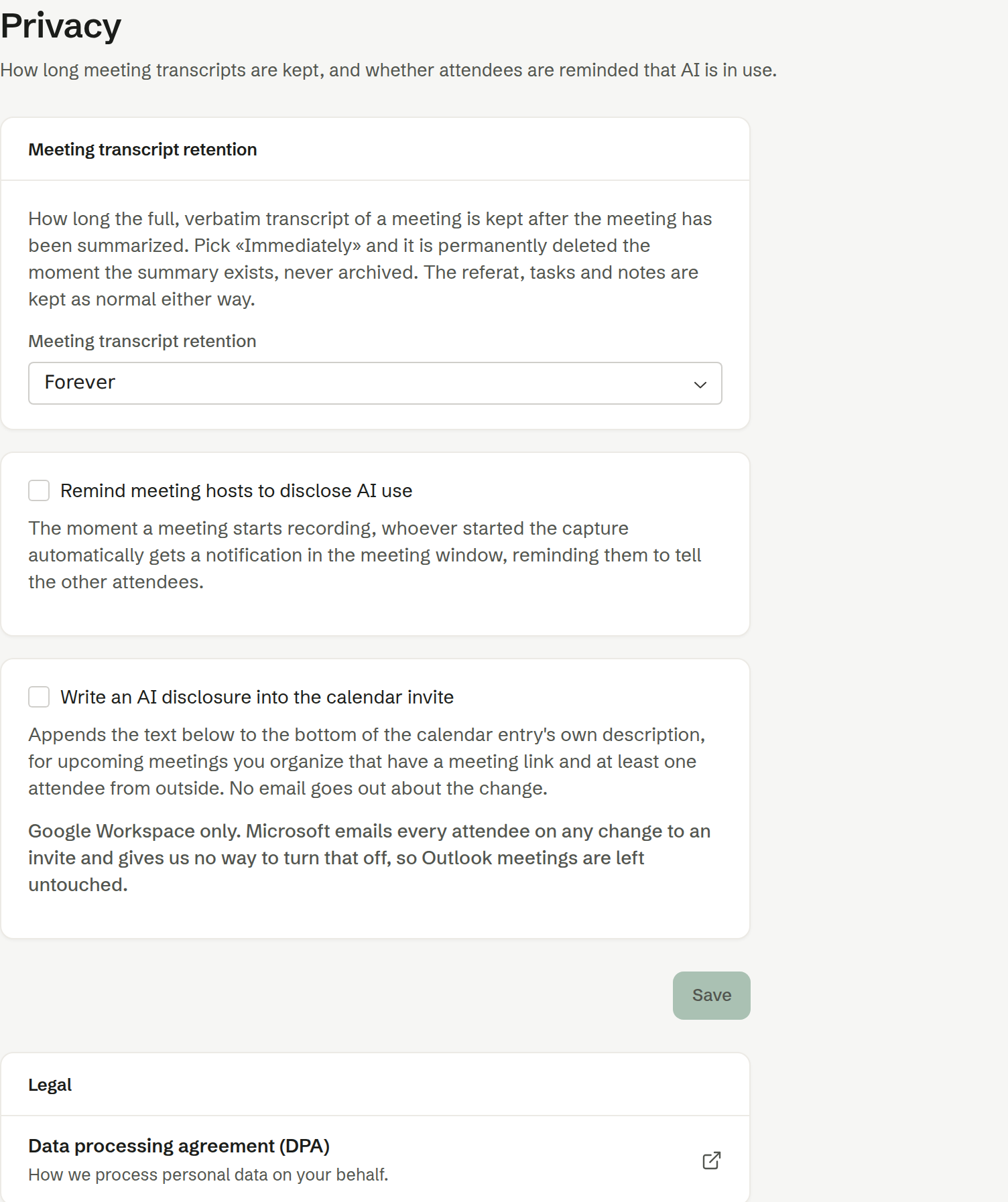
Meeting transcript retention
How long the full, word-for-word transcript of a meeting is kept after the summary has been written: Immediately (after summarization), 24 hours, 30 days, 90 days, 6 months, 1 year or Forever (the default). With Immediately, the transcript is deleted the moment the summary exists.
The summary, the follow-ups and the notes are kept either way. Once a transcript is gone, the summary can no longer be written again, and View conversation says why it is empty.
Remind meeting hosts to disclose AI use
When a recording starts, the person who started it gets a notification in the meeting window reminding them to tell the others that AI is in use. Off by default. Under Message you write the reminder yourself, or keep the standard text — Use default text puts it back.
Write an AI disclosure into the calendar invite
Adds a short text to the end of the invitation itself, so external attendees read it before the meeting. It applies to upcoming meetings you organise that have a meeting link and at least one attendee from outside, and no email goes out about the change. Off by default; when it is on, Text in the invite must be filled in.
This works with Google calendars only. Microsoft emails every attendee whenever an invitation changes, so Outlook meetings are left as they are.
Save
Save saves the changes on this page.
Data processing agreement
At the bottom, Data processing agreement (DPA) links to how Brigg processes personal data on your company's behalf.