
Open your name at the bottom of the left-hand menu, choose Personal settings and then Meetings. These settings are yours alone, follow you to every device, and save as you change them.
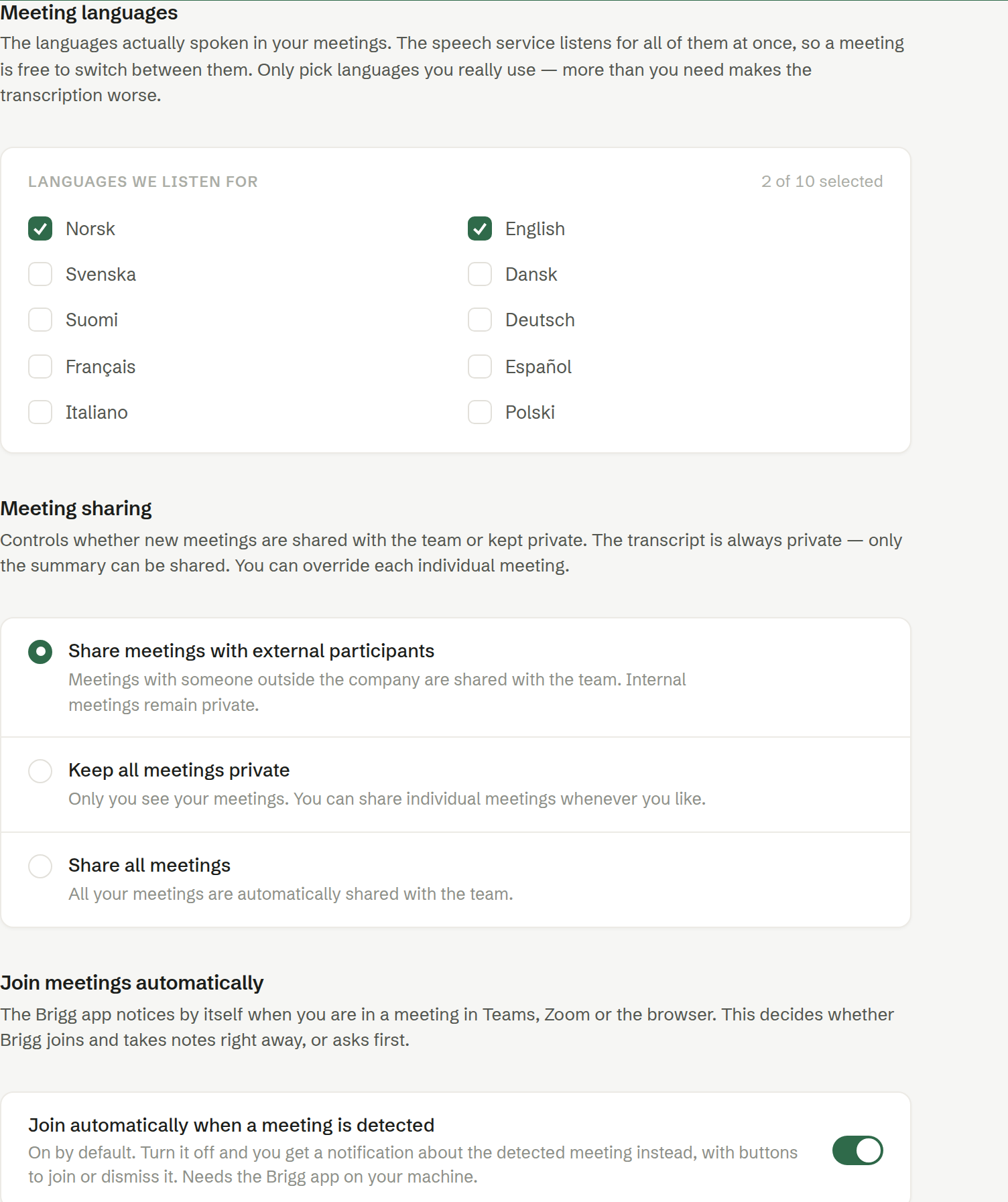
Meeting languages
The languages spoken in your meetings. The transcription listens for all of them at once, so a meeting can switch between them. Pick the ones you use — at least one has to stay selected. Brigg suggests a choice from your browser's language to begin with.
Meeting sharing
Whether a new meeting starts shared with the team or private: Share meetings with external participants (the default), Keep all meetings private or Share all meetings. You can always change a single meeting. See Who can see a meeting.
Join meetings automatically
Join automatically when a meeting is detected — on by default: the desktop app starts recording when it notices you are in a meeting. Off, it shows a notification about the meeting instead, where you choose to start or dismiss it. If the desktop app could not reach the transcription service the last time it recorded, it asks with that notification too, even with the setting on, until you start a recording yourself.
Reminder before the meeting
Remind me before a meeting starts — the desktop app alerts you 2, 5, 10, 15 or 30 minutes before a meeting in your calendar. Off by default. It only appears while the app is open.
Meeting summaries by email
- Who gets the summary automatically — Nobody (the default), Every attendee, External only or Colleagues only.
- Email me a summary after meetings — your own copy. On by default.
See Sending the summary by email.
Advice during meetings
Give me advice while the meeting is running — the agent follows the conversation and now and then gives you a short tip: an opener, a term explained, something it looked up. The tips show up only on your own screen, at most a few an hour. Off by default.
Meeting template during prep
Let the agent pick a meeting template when preparing — when the agent prepares a meeting, it may choose one of your meeting templates instead of writing its own agenda. A template also decides how the summary is written. Off by default.
Programs that aren't meetings
The desktop app starts recording when a program uses the microphone. If something does that without being a meeting — dictation, a phone system, a music app — write its name under Program name as it appears in Activity Monitor or Task Manager, and press Enter. Starting a recording yourself still works.
Privacy
Hide the Brigg windows in meetings — Brigg's windows are hidden when you share your screen or record it, so others do not see your notes or the transcript. They are also missing from your own screenshots. Off by default.