
With your calendar connected, your upcoming meetings show up in Meetings by themselves, are prepared before they start, and recordings are linked to the right meeting. Brigg reads the times, titles and attendees of your events. Each person connects their own calendar.
Connecting
Open Personal settings › Connected accounts — or Connect your calendar on an empty Meetings page — and choose Continue with Google or Sign in with Microsoft. On the computer app, you finish in the browser and Brigg updates by itself.
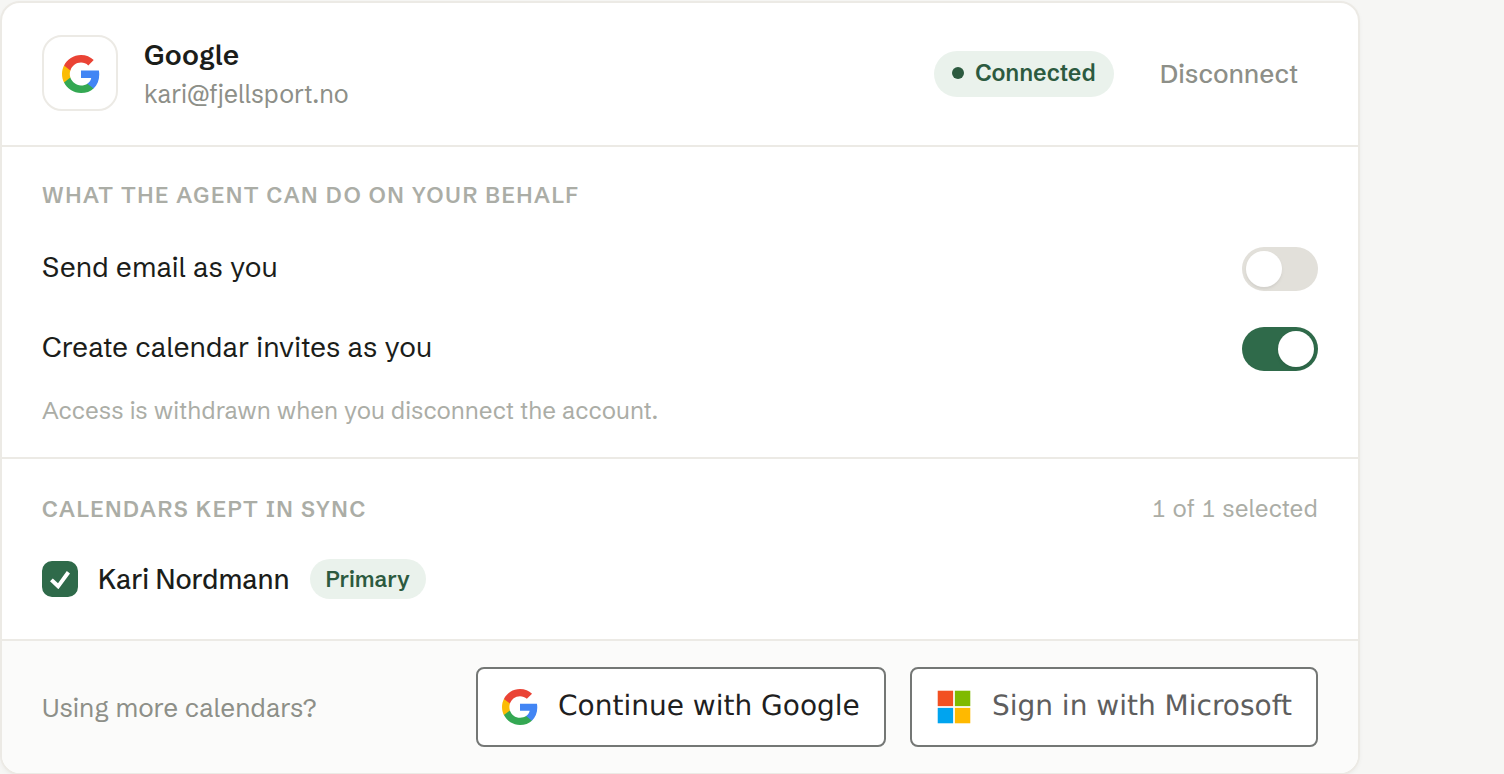
For each connected account:
- Calendars kept in sync — which of your calendars Brigg follows. Your main calendar is marked Primary.
- What the agent can do on your behalf — Create calendar invites as you lets the agent, and your booking links, put meetings in your calendar. Send email as you lets the agent send email from your own address. Whether the agent asks first is decided under Permissions.
- Disconnect removes the connection and everything it allowed.
If access expires, Brigg asks you to reconnect.
Linking a recording to the right meeting
When a recording starts, Brigg links it to the meeting in your calendar it belongs to — by the video link, or by the title and time. A meeting held in person has neither, so it may stay unlinked. On a recorded meeting, the host can correct it from the line under the title: Pick a meeting from the calendar, search by title or attendee, and pick one — or Remove the calendar link. The meeting takes the event's title and attendees, and your choice sticks.
A calendar meeting that already has a recording of its own is marked Already has a recording and cannot be picked: two recordings are never merged.
When an invitation is cancelled
If a meeting is deleted or cancelled in your calendar, the prepared meeting in Brigg goes with it — unless something was done on it: it was recorded, someone wrote notes or an agenda, or a document was made from it.