
A meeting has three layers, and each has its own rule.
| What | Who can see it |
|---|---|
| The transcript | Only the host — the person who recorded the meeting. Always. |
| Notes | Only the person who wrote them. Always. |
| The meeting itself — summary, agenda, attendees and follow-ups | Everyone in the workspace when the meeting is shared; only the host when it is private. |
A document made with Create document belongs to the person who made it, even on a shared meeting.
Shared internally or private
The audience control under the meeting’s title says Shared internally or Private. Open it to choose who can see the meeting and read why the current audience was selected. Only the host can change it; colleagues can see it. A small dot means you changed this meeting yourself.

The default
Whether a new meeting starts shared or private follows Meeting sharing in Your meeting settings:
- Share meetings with external participants (the default) — a meeting with someone from outside the company is shared; a meeting with only colleagues is private.
- Keep all meetings private — you share the ones you choose.
- Share all meetings — every meeting is shared.
A meeting recorded with Start meeting has no attendee list to go by, so it starts private unless you share all meetings.
Sharing a meeting that has notes
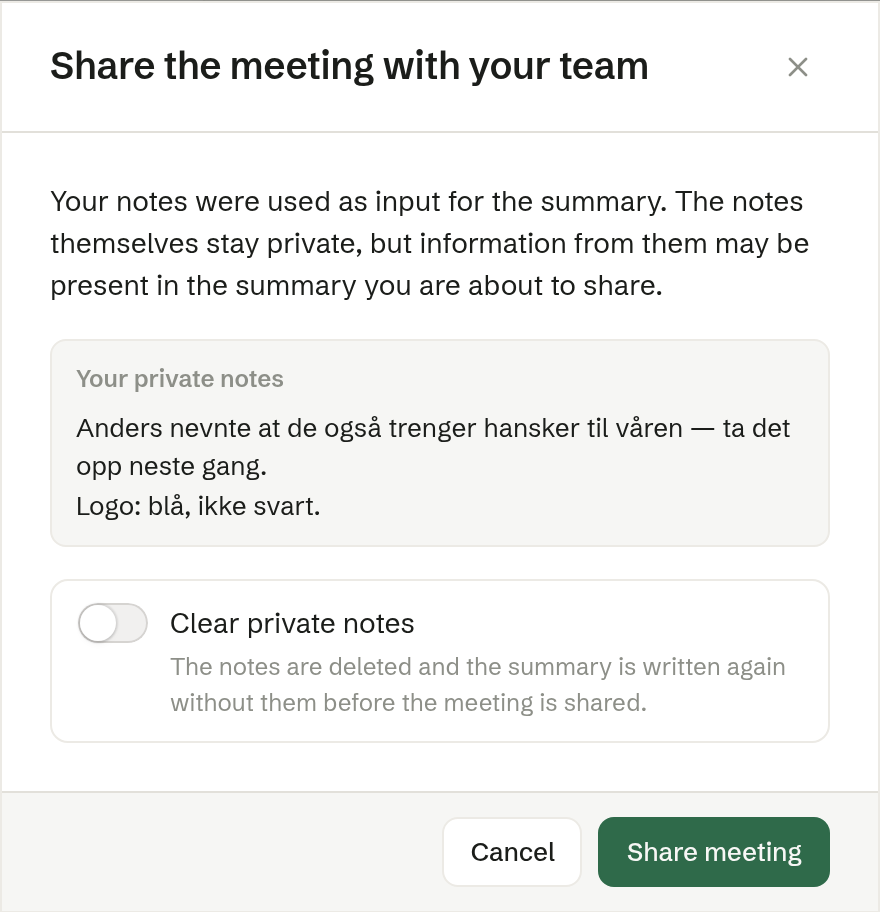
Your notes help write the summary, so something from them can be in it. When you share a private meeting you have notes on, Brigg stops once and shows them under Your private notes:
- Share meeting shares it as it is.
- Turn on Clear private notes, and Delete notes and share meeting deletes the notes, writes the summary again without them, and only then shares the meeting.
Colleagues' meetings
A colleague's shared meeting does not appear in your own lists, but you find it on the customer's Meetings tab in Customers and with search.