
The card Capabilities on the phone page lists what the agent can do during a call beyond answering. Each switch saves itself. Only administrators can change them; others see the list as read-only. Admin
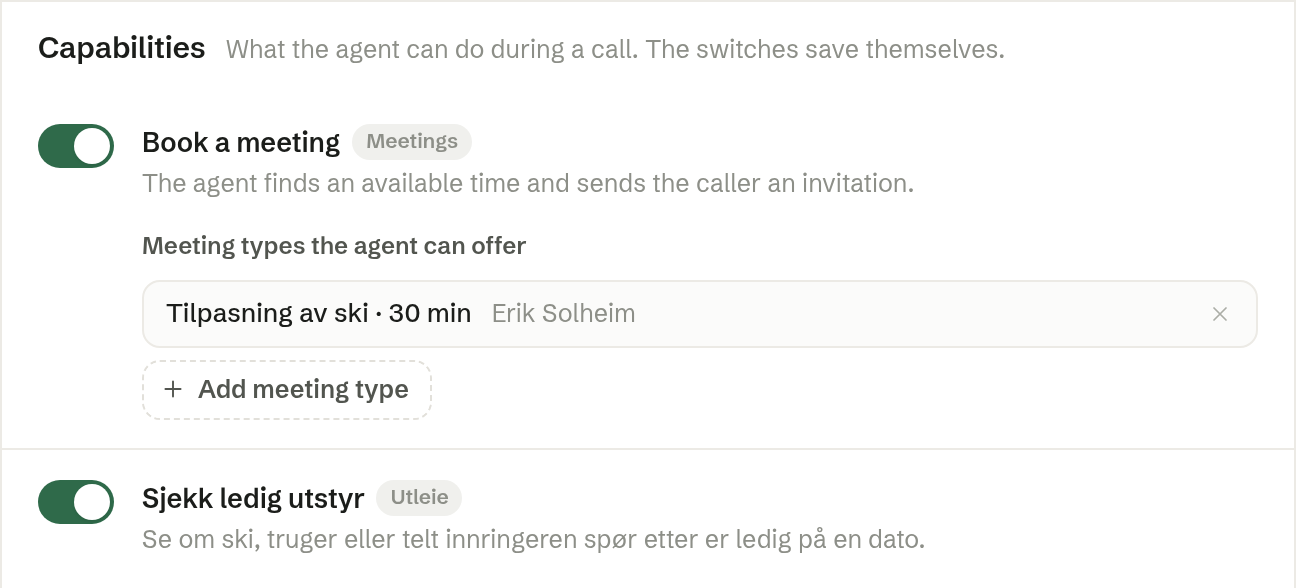
Taking a message, looking things up in the inbox's documents and putting callers through are always included. Everything else is off until you switch it on.
Book a meeting
With Book a meeting on, the agent finds an available time and sends the caller an invitation. Under Meeting types the agent can offer, press Add meeting type and choose one of your booking links from Meetings › Booking. If you have none yet, the card links to Meetings to create one.
From your apps and integrations
Your company's own apps and integrations can offer the phone agent more capabilities. They are listed with their source and their own description. If one changes, it is marked Changed — review to enable until you look at it again.