
How you use the number Admin
On the phone page, under How you use the number, choose one:
- As the company's new customer service number — give the new number to your customers. The agent answers when it rings.
- Keep the number we have — forward the number you have today to the new one, always or only when nobody picks up. Callers notice nothing.
Owners and administrators make this choice.
Help with call forwarding
When you keep your number, the card Help with call forwarding shows how. Open it and choose what kind of number you have under Today's number is:
- Landline / switchboard — ask your operator to forward the number, always or only when nobody picks up. The card shows the number to forward to.
- A mobile number — choose your Carrier, and the card shows the codes to dial:
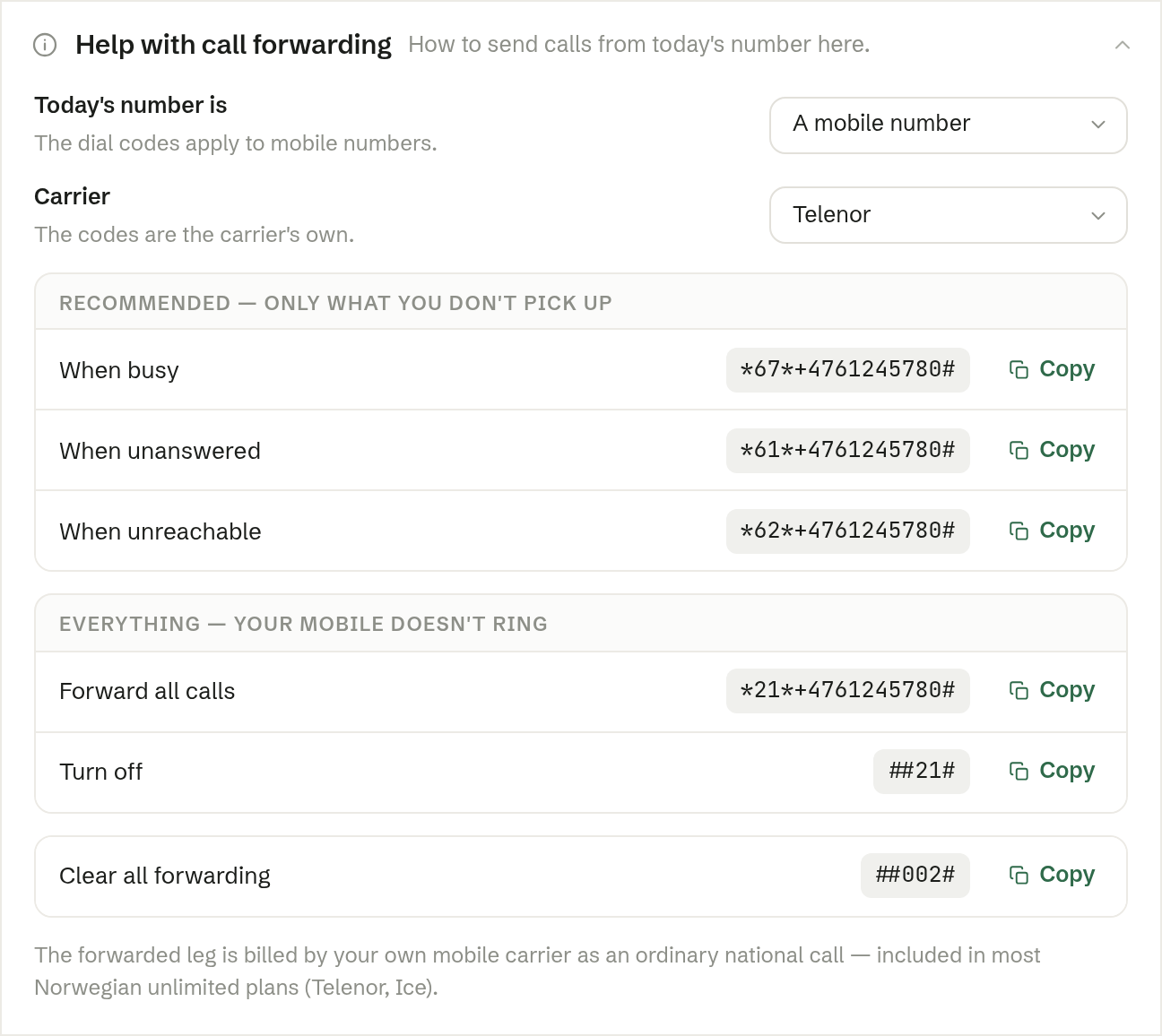
Recommended — only what you don't pick up:
- When busy
- When unanswered
- When unreachable
Everything — your mobile doesn't ring:
- Forward all calls, and Turn off to stop.
Clear all forwarding removes every forwarding. On a computer, Copy copies a code; on a phone, Dial dials it.
The forwarded part of a call is billed by your own mobile carrier as an ordinary national call — included in most unlimited plans.