
New booking link — or a click on an existing link — opens the form. Save saves it; on an existing link, Delete removes it.
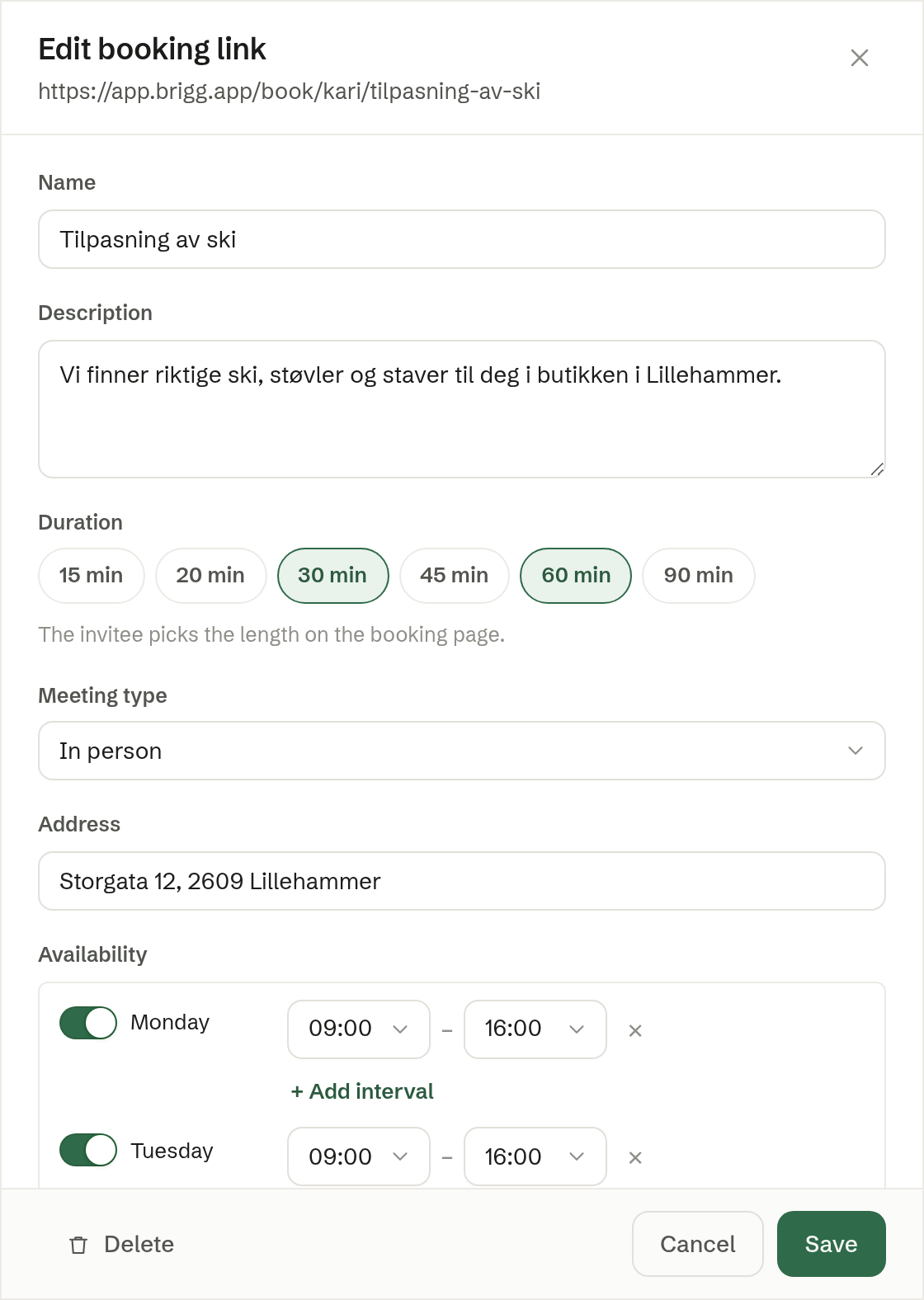
The basics
- Name — the meeting's name on the booking page, for example «Ski fitting». When the link is created, the name also becomes the end of its address.
- Description — a short text shown on the booking page.
- Duration — pick one length, or several (up to four) and the person booking chooses. 30 minutes by default.
- Meeting type — Video call, Phone, In person or Other. For a video call, a meeting link is created in your calendar for every booking. For In person, write the Address; for Other, a Location description.
- Availability — the times you can be booked, per weekday. Turn a day on or off, and use + Add interval for more than one period on the same day. Monday to Friday 09:00–16:00 by default. Times already taken in your calendar are never offered.
More settings
- How far ahead — how many days ahead can be booked. 30 days by default.
- Minimum notice — how soon a booking can be for. 4 hours by default.
- Buffer before and Buffer after — free time kept around each booked meeting. None by default.
- Max per day — how many bookings a day at most. Unlimited by default.
- Phone number — also ask the person booking for a phone number. Off by default.
- Reminder to invitee — an email reminder before the meeting, with a link to change or cancel. 24 hours before by default; Off sends none.
- Custom questions — up to five questions on the booking form, each a Short answer, Long answer or Checkbox, and Required or not. The answers are shown in the booking notice and on the meeting.
Active
Active decides whether the link can be booked. On by default.
Deleting
A link with bookings still to come cannot be deleted: cancel the bookings first, or turn the link off instead.