
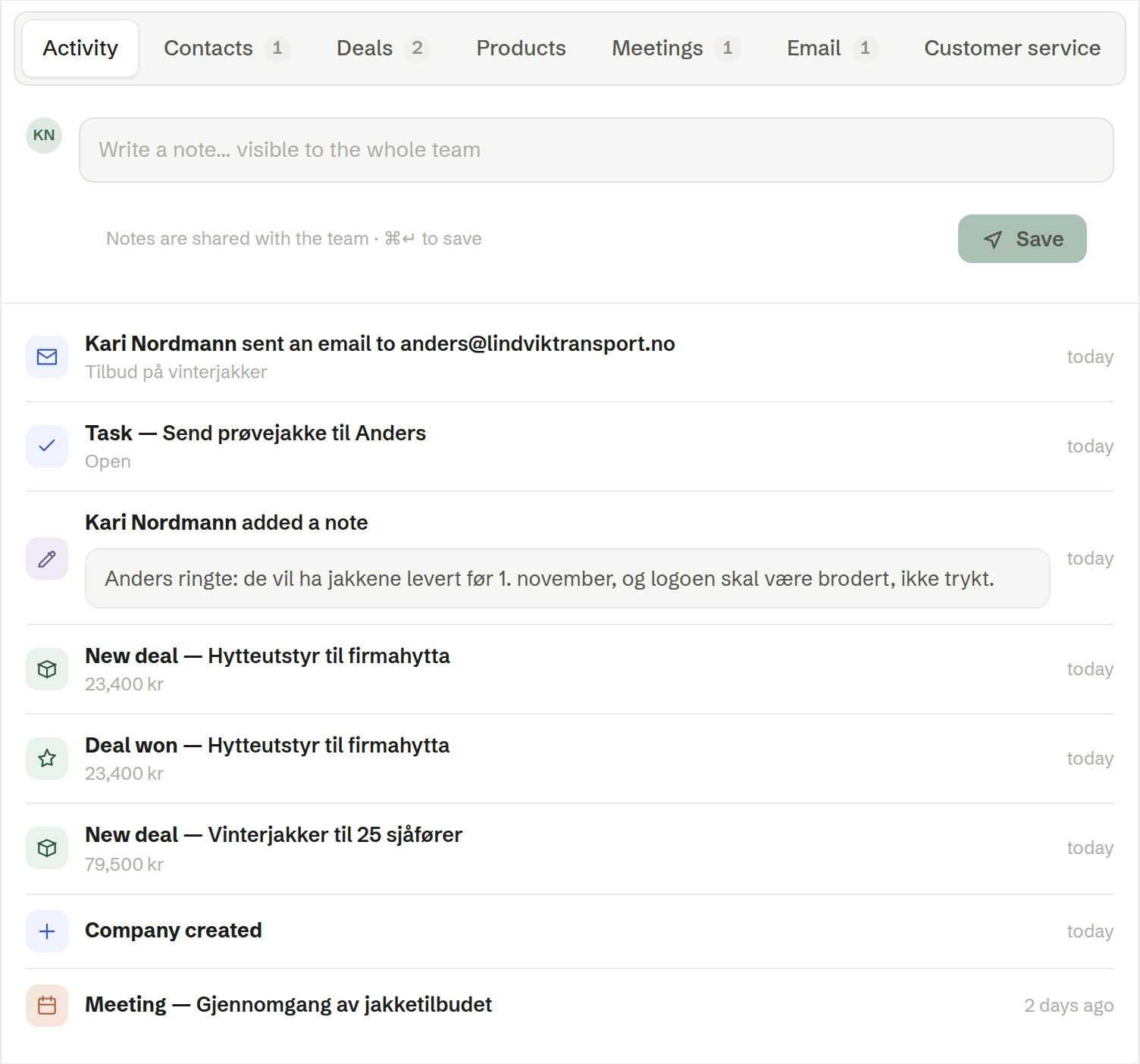
Activity is the first tab on a company and a contact. It shows everything that has happened with the customer in one timeline, newest first, with a box for notes at the top.
Writing a note
Type in Write a note… visible to the whole team and click Save (or press ⌘↵ / Ctrl+↵). Notes are shared with everyone in the workspace and signed with your name. A note on a contact stays on the contact; a note on a company stays on the company.
You can use simple formatting in a note: bullet lists, bold text, headings and links. Notes imported from another CRM keep their formatting.
What the timeline shows
- Notes written by you and your colleagues.
- Meetings with the customer's people — click to open the meeting and its summary.
- Emails Brigg has sent them. See Email on a customer.
- Tasks on the customer.
- Deals — when one was created, won or lost.
- Signing — when a document was sent for signature, opened and signed.
- When the company or contact was created.
Nobody has to register any of it: meetings, emails and signings find the customer from the people's email addresses.
Related tabs
- Meetings lists the customer's meetings on their own, newest first.
- Customer service lists their conversations in Customer service.