
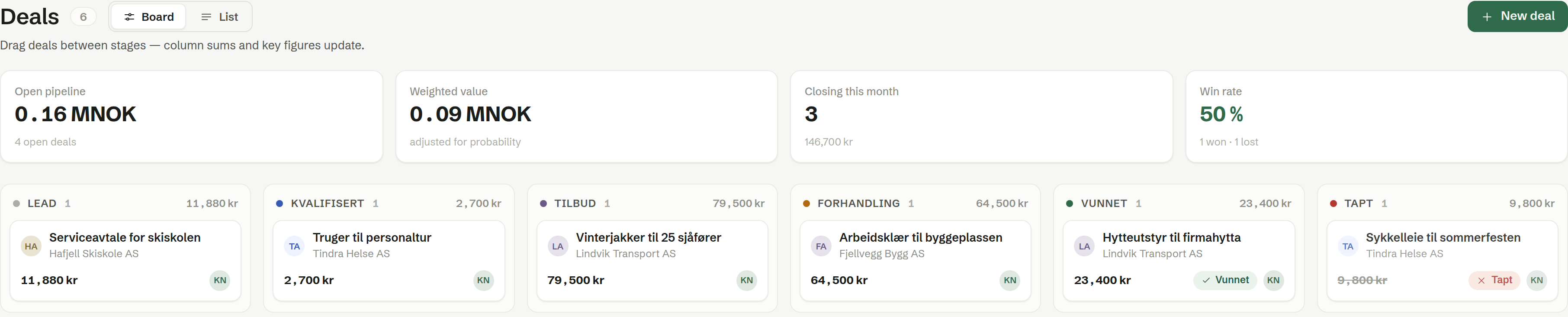
Customers › Deals is your sales pipeline. Every deal is a card in the column of its stage, and you move it along by dragging it.
The key figures
- Open pipeline — the total value of all open deals, and how many there are.
- Weighted value — the same value adjusted for each stage's probability: a deal at 50 % counts half.
- Closing this month — open deals expected to close this month, and their value.
- Win rate — the share of closed deals that were won, with the number won and lost.
The board
Board shows one column per stage, with the number of deals and their total value at the top. Each card shows the deal, the company, the value and the owner.
- Drag a card to another column to change its stage. Drag it to the lost stage when the customer says no; the deal then gets a Lost reason field.
- Click a card to open the deal. See The deal page.
The stages are your workspace's own. See Sales stages.
The list
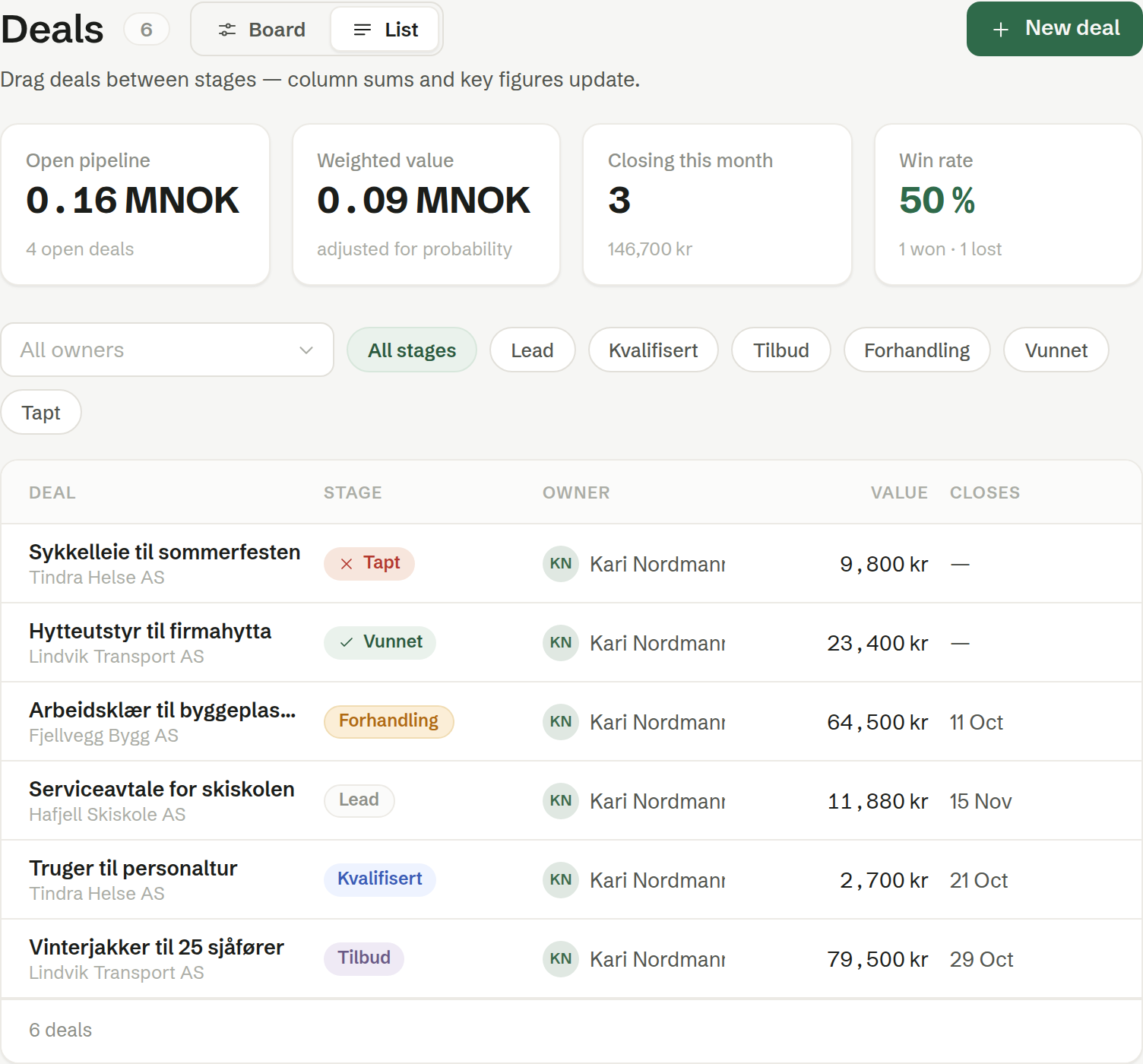
List shows the deals as a table: Deal (with the company), Stage, Owner, Value and Closes. Narrow it down with All owners — pick a colleague — and the stage buttons, or All stages for every one.
A new deal
Click New deal.
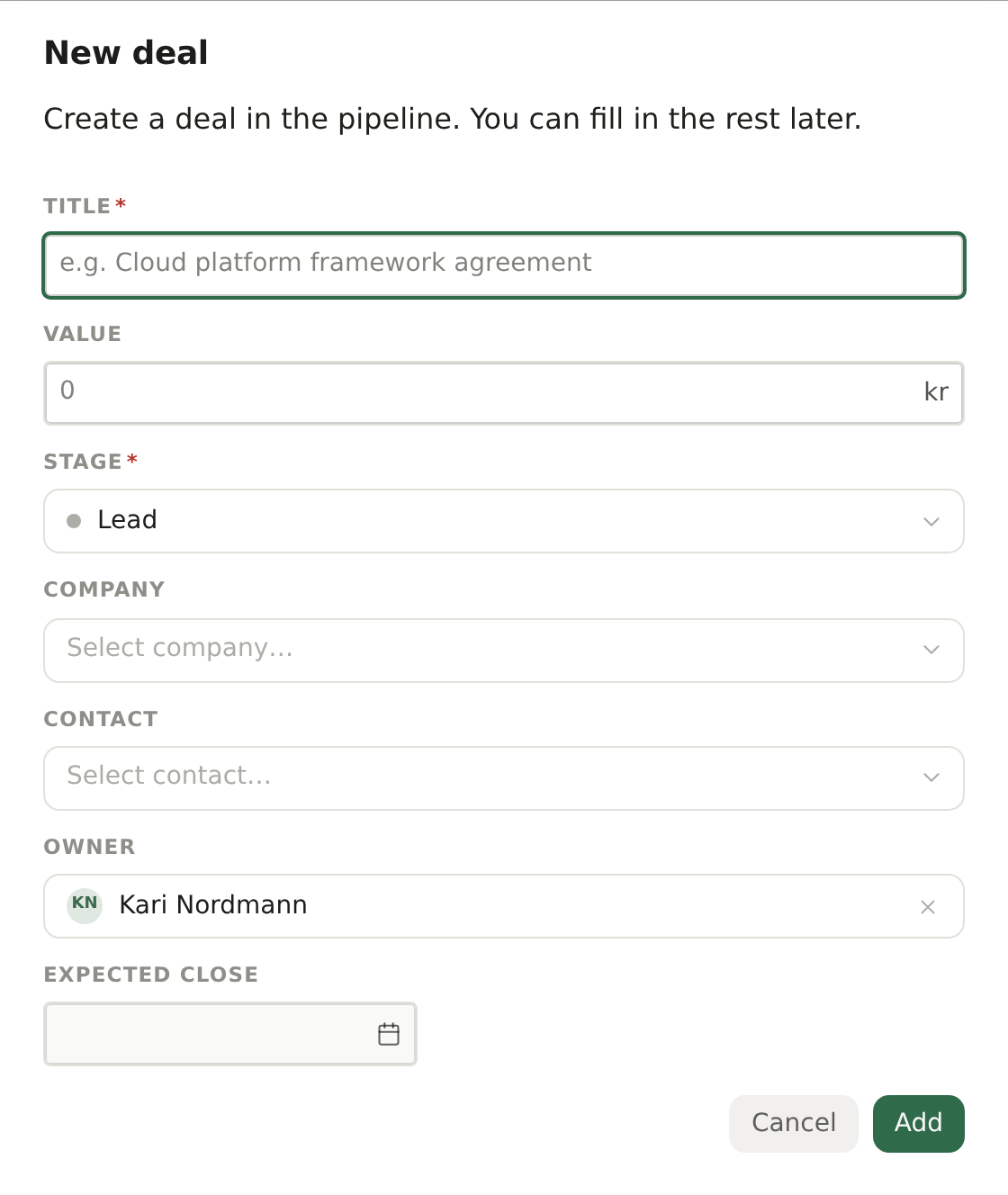
- Title — what is being sold, such as «Winter jackets for 25 drivers». Required.
- Value — the deal's value in kroner. Leave it empty if you will add line items — the value is then worked out from them.
- Stage — where the deal starts. The first stage is chosen for you.
- Company and Contact — the customer. If the contact has no company yet, they are linked to the one you pick.
- Owner — who is responsible. You, unless you change it.
- Expected close — when you expect an answer. It counts towards Closing this month.
You can also start a deal from the Deals tab on a company or contact; the customer is then filled in for you.
Who can do what
Every member can create, move and edit deals. Changing the stages themselves is for owners and administrators.