
Customers › Products is your price list: the products and services you sell, with a unit and a price. Deals and customers pick their line items from it.
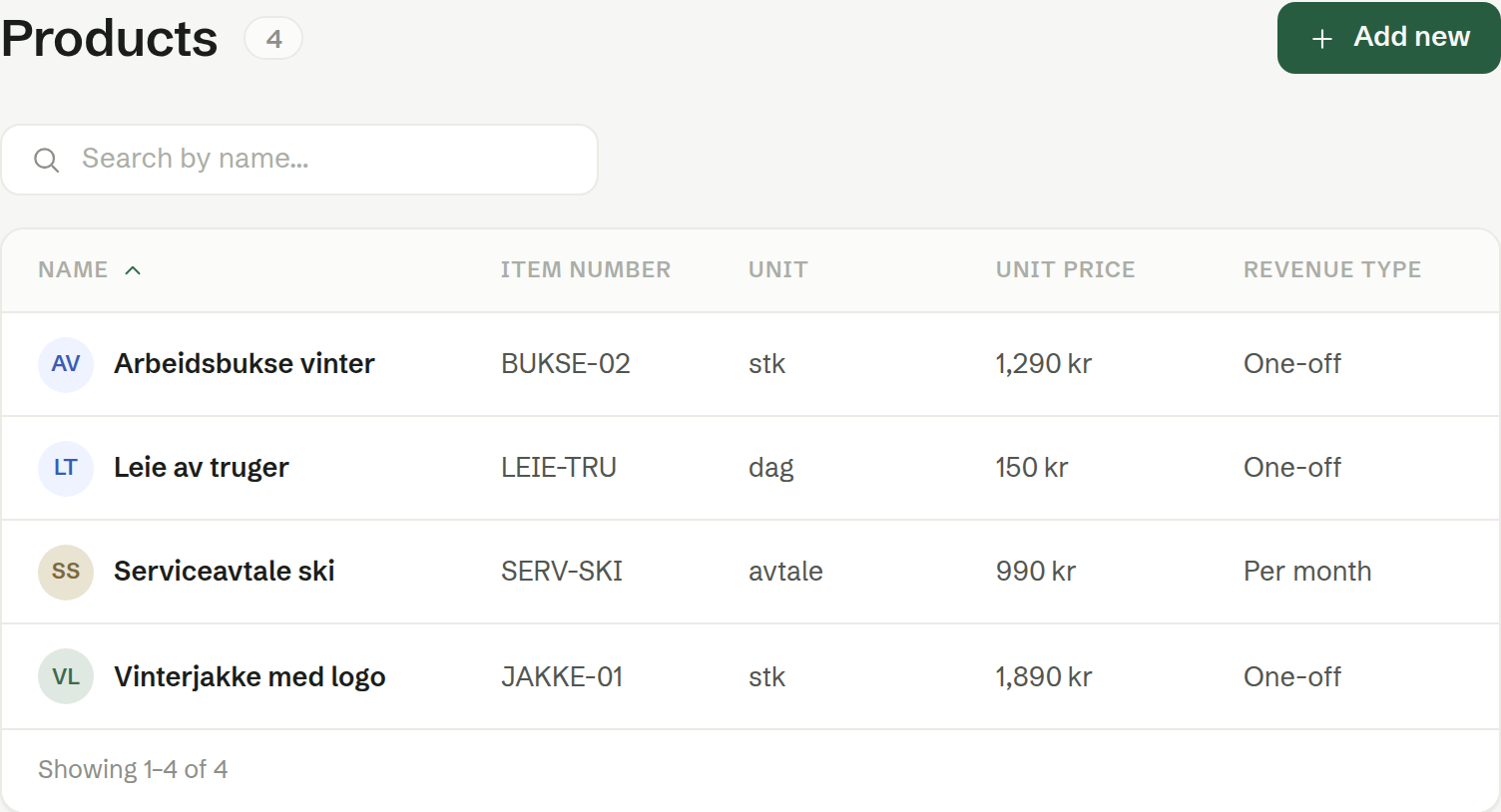
The price list
The columns are Name, Item number, Unit, Unit price and Revenue type. Click a product to see it, Edit it or Delete it from ⋯.
Add new opens New product:
- Name — required, such as «Ski rental, one day».
- Unit — free text: pcs, day, hour, month…
- Unit price — the price per unit.
- Revenue type — how the money comes in: One-off, Per month, Per quarter or Per year. This is what lets Brigg tell a sale from a subscription.
- Item number and Description — optional.
Changing a price changes it for new lines only. Lines already on a deal or a customer keep the price they were given.
What a customer has
The Products tab on a company shows what the customer has bought or subscribes to, under Registered products — the same line editor as on a deal. Add lines from the price list or as custom lines, and set a period on subscriptions. To end a subscription, set its Through date.
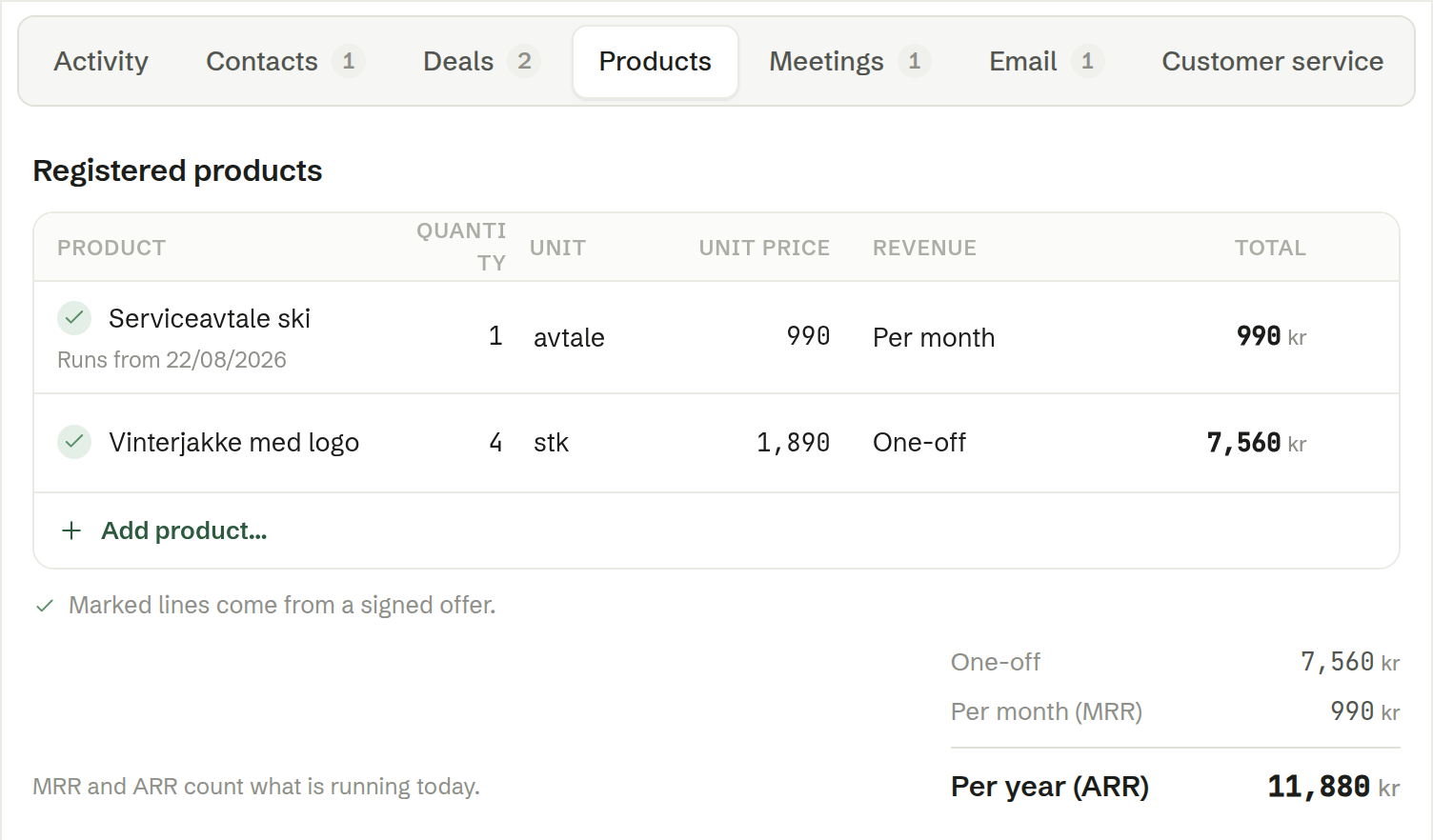
Lines marked with a tick come from a signed quote: when a quote made from a deal is signed, its lines land here automatically, marked Agreed with the date. Signing a corrected quote for the same deal replaces those lines rather than adding them twice.
The totals underneath split into one-off, per month (MRR) and per year (ARR) — counting what is running today.
Who can do what
Every member can edit the price list and a customer's products.