
At the top of every company and contact page is a card the agent writes: what is worth knowing about the customer right now, and what to do next. It is written for a colleague who was never in the room.
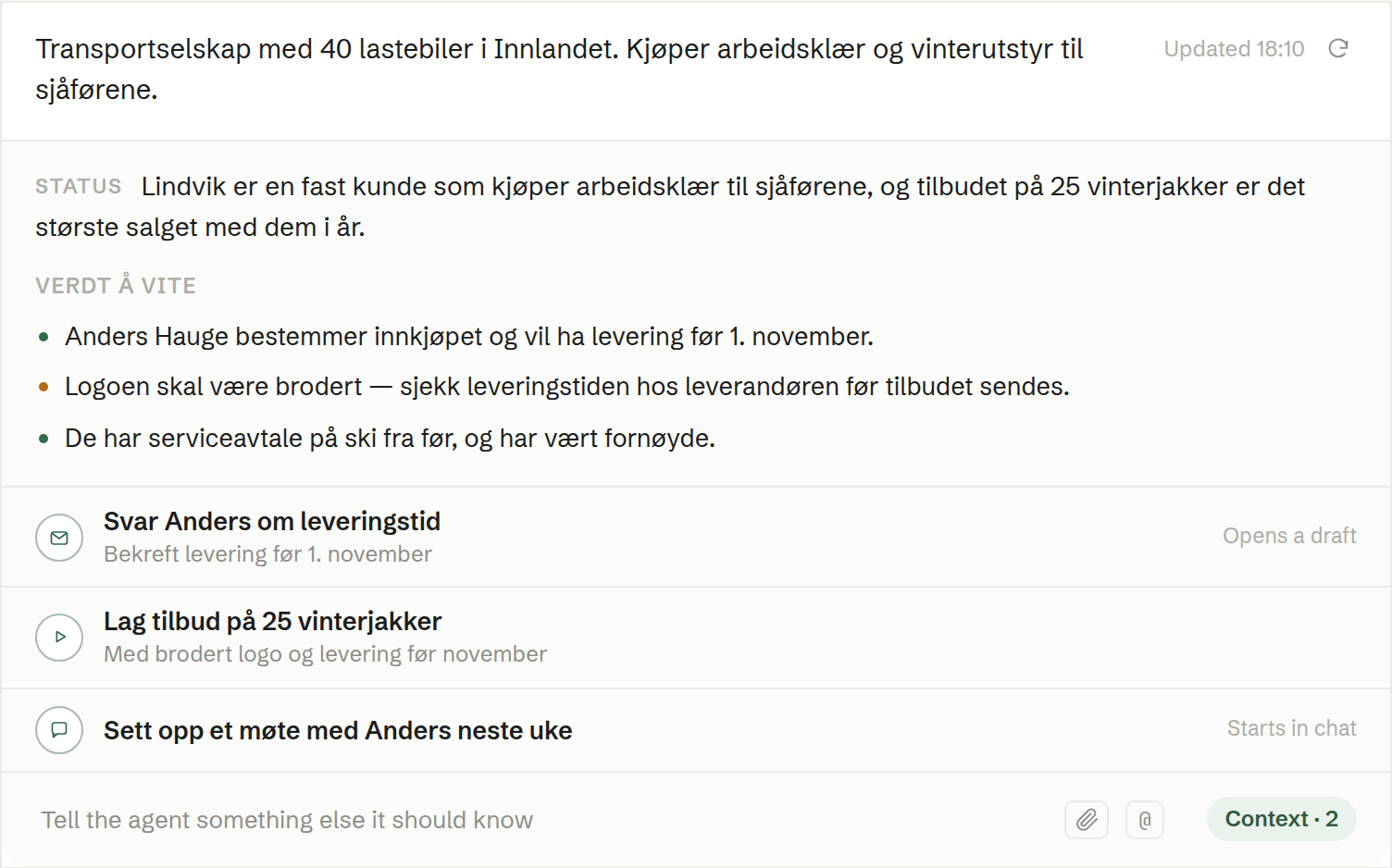
What is in the card
- The description — the record's own description, at the top. Click it to edit (Edit the description).
- Status — the agent's write-up: who the customer is to you, what is going on, and anything to watch out for. Points that need attention soon are marked in orange.
- Suggested next steps — up to three rows. What happens when you click depends on the kind:
- Opens a draft — an email, written and addressed, opens for you to read and send.
- A document — such as a quote or an overview — is made by the agent. The row shows Working… and then Done, with a link to the document.
- Starts in chat — the request goes to your own agent chat, which then shows Sent to chat. Nothing is sent without you: the agent drafts, and you decide.
- Updated and the time it was last written, with Refresh to have it written again. While the agent works, the card says what it is reading, and Stop stops it.
When it is written
The agent writes the brief the first time someone opens the company or contact, and again when its context changes. For a meeting, the brief for every company and contact on it is written before the meeting's own preparation. If there is too little to go on, the card says so instead — add some context and refresh.
Giving the agent context
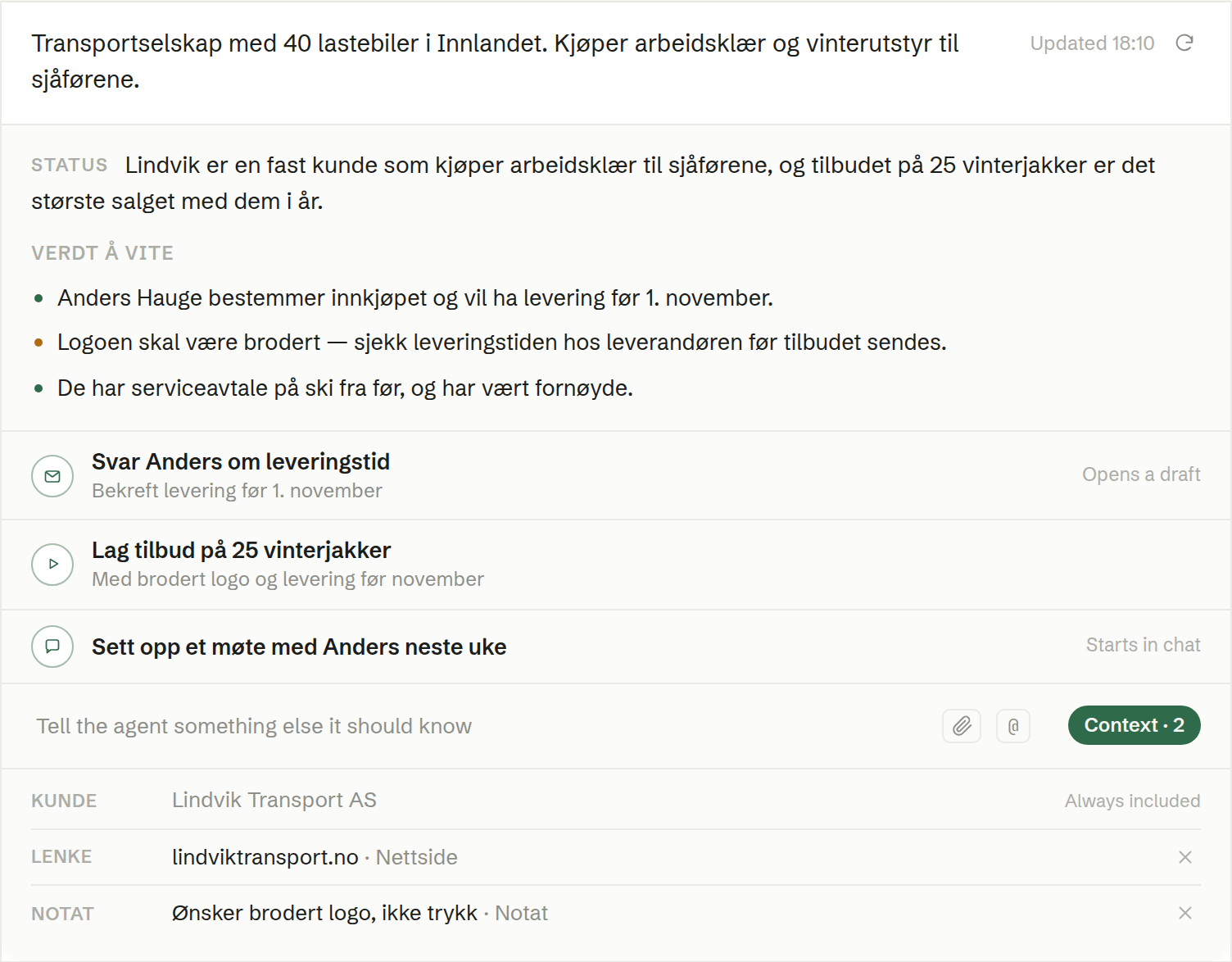
The field at the bottom of the card — Tell the agent something it should know — adds context the brief is built on:
- Type a note and press Enter.
- Paste a link — the agent reads the page.
- Attach a file with the paperclip, or drag a file onto the card.
- Search with @ to pull in a meeting, a document or another record from the workspace.
Context · N opens the list of what the brief builds on. Always included marks what is always there, such as the record itself; × removes an item, and the brief is written again without it.
Who sees it
The brief on a company or contact is shared with everyone in the workspace, so it is written only from what everyone may see — never from anyone's private meetings or documents. Every member can add context and refresh. Your own company and your own contact card have no brief.