
The stages of the pipeline are your workspace's own. Rename them, add a stage before the first, put them in a different order and give each one a colour and a probability. The board, the key figures, the deal pages and the agent all follow.
Open Company settings › Sales stages. Admin
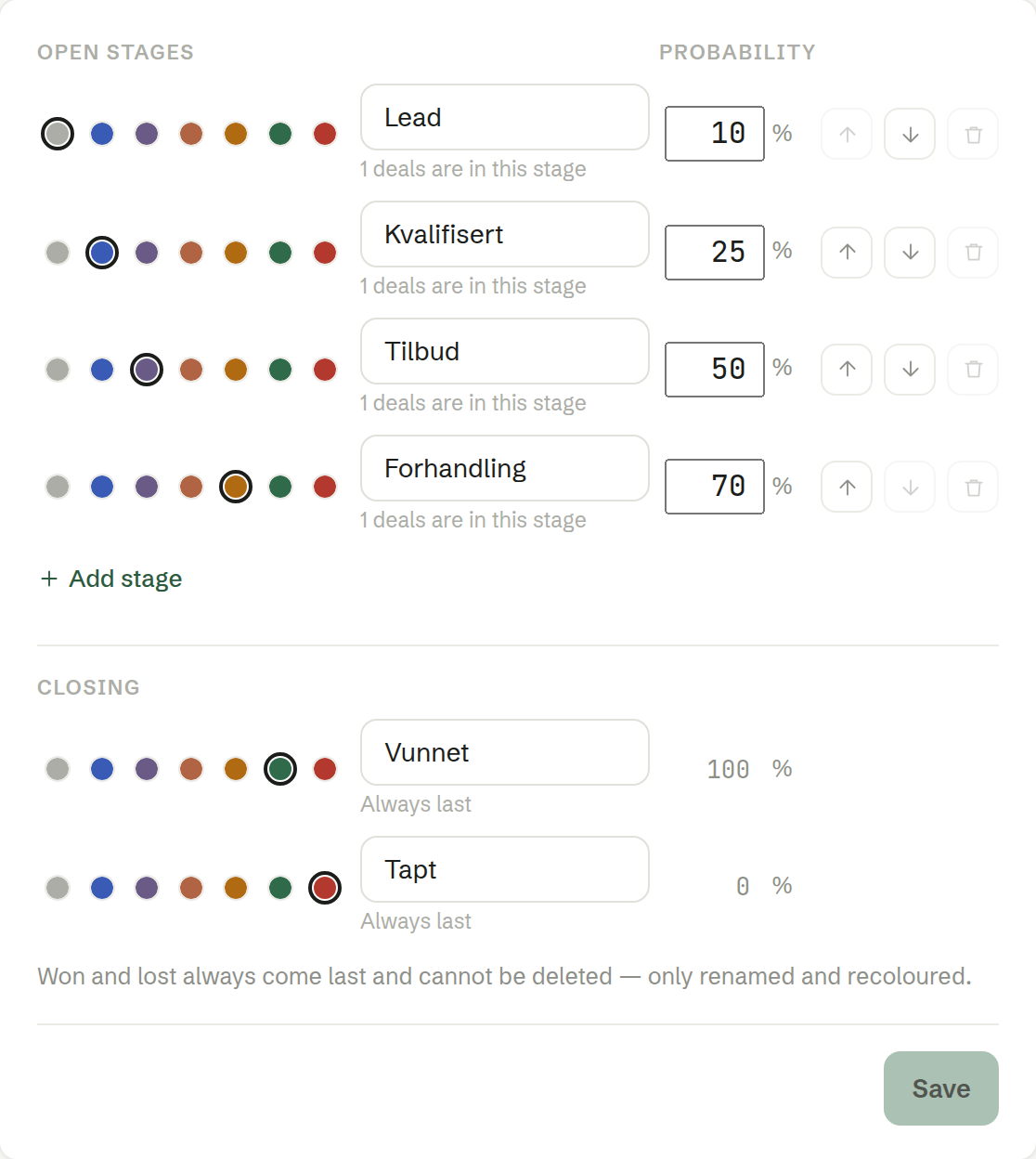
Open stages
The stages a deal passes through on its way, in order. For each one:
- Colour — the dot in front, used on the board and on labels.
- Name — what the stage is called.
- Probability — how likely a deal in this stage is to be won, in percent. It weights the Weighted value on the board. A new stage gets the midpoint between its neighbours.
- Move up / Move down — change the order.
- Remove stage — only while no deal is in it. The line under the name says how many deals are there; move them first.
Add stage adds one at the end of the open stages. A workspace starts with Lead, Qualified, Proposal and Negotiation, followed by Won and Lost — named in the workspace's language.
Closing
The won and the lost stage. They are Always last and cannot be deleted or moved — only renamed and recoloured. Their probability is always 100 % and 0 %.
Click Save to apply your changes.
Who can change the stages
Only owners and administrators. Other members see the stages but cannot change them, and the agent refuses too when a member asks it to.